In January, we got acquainted with the 55-inch 4K TV Vinga E55UHD20B, which is a good foundation for creating a home entertainment center. It stands out with Smart TV support and the installed Android 6.0 OS, and its price is 14,999 UAH.
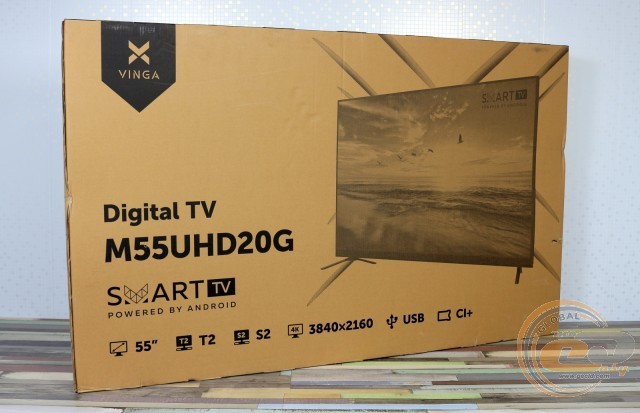
But Vinga has an even more affordable model in its arsenal - Vinga M55UHD20G. It does not fall short in terms of size and functionality but offers a more powerful 4-core processor, support for Android 7.0 OS, and a lower price (13,999 UAH). On the other hand, it has less RAM (1 vs. 1.5 GB) and simpler backlighting (Direct LED instead of Edge LED). Of course, the differences between them do not end there, but we will get to know them in more detail during the review.
Specification
|
Model |
Vinga M55UHD20G |
|
Panel Type |
LCD with Direct LED backlighting |
|
Diagonal, inches |
55 |
|
Aspect Ratio |
16:9 |
|
Maximum Resolution |
3840 x 2160 |
|
Response Time GtG, ms |
8 |
|
Brightness, cd/m2 |
250 |
|
Contrast Ratio |
1200:1 |
|
Color System Standards Support |
PAL, SECAM |
|
Tuner Type |
Analog, Digital (DVB-C, DVB-T, DVB-T2, DVB-S, DVB-S2) |
|
Smart TV Support |
Yes |
|
Wi-Fi Support |
Yes (802.11b/g/n) |
|
OS |
Android 7.0 |
|
Built-in Speaker Power, W |
16 (2 x 8 W) |
|
Processor |
4-core (ARM Cortex-A53) |
|
Video Core |
ARM Mali-450 |
|
RAM, GB |
1 |
|
Internal Storage, GB |
8 |
|
Digital Video Decoding Support |
MPEG-2, MP@ML, H.265 |
|
USB Video Decoding Support |
MPEG-2, MPEG-4, H.264 |
|
Image Enhancement Technologies |
Scaler Mode Picture Effect Adaptive Deinterlacing Dynamic Noise Reduction |
|
Interfaces |
2 x USB 1 x D-sub 1 x Scart 1 x RF (S2) 1 x RF (T2) 1 x 3.5-mm 3 x HDMI 1 x Component In (Y/Pb/Pr) 1 x RJ45 1 x AV 1 x COAX Out 1 x CI |
|
Typical Power Consumption in Active Mode, W |
138 |
|
VESA Mount Support, mm |
200 x 200 |
|
Dimensions with Stand / without Stand, mm |
1230 x 225 x 787.6 / 1230 x 60.5 x 739.1 |
|
Weight with Stand, kg |
12.5 |
|
Manufacturer's Website |
|
|
Product Page |
|
|
Purchase Page |
Packaging and Delivery Set

The regular cardboard packaging with simple printing indicates the manufacturer's desire to reduce the final product cost. However, you will be able to evaluate the appearance of the TV, familiarize yourself with its main advantages and technical specifications. The sides have cutouts for convenient transportation.
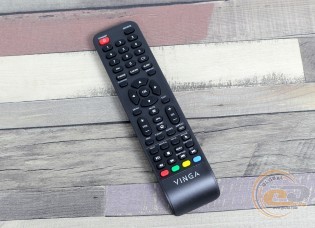
In the delivery set, we found paper documentation, legs and screws for their attachment, a remote control, and a pair of AAA batteries for its power. The Vinga E55UHD20B also had an audio cable for the Audio-In Component interface, but the Vinga M55UHD20G lacks this port, so the cable is not needed.
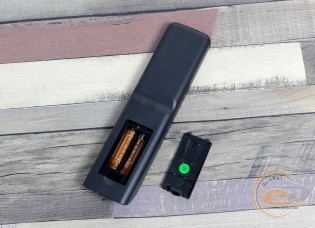
Visually, the remote control differs from the one we saw with the Vinga E55UHD20B TV. But functionally, it is not behind. Made from similar matte plastic, it fits comfortably in hand. It allows you to switch channels, adjust the volume of the built-in speakers, navigate the menu, and activate additional functions. Almost every button is labeled or has a clear icon. The user manual provides the purpose of each one. For optimal operation, it is better to point the remote directly towards the TV's IR receiver in the lower right corner and not block this area with other objects.
Appearance
The design of the Vinga M55UHD20G's top panel slightly differs from the previously tested model. The sides and top still use a relatively thin frame bezel, but at the bottom, it is much wider. Behind it, the speakers are hidden, directed downwards. Their volume is sufficient to fill a small room with sound. The range is dominated by high frequencies, and there is a lack of bass. But if you are setting up a home theater, you will still acquire higher-quality multi-channel acoustics.
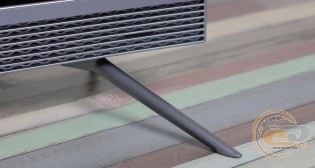
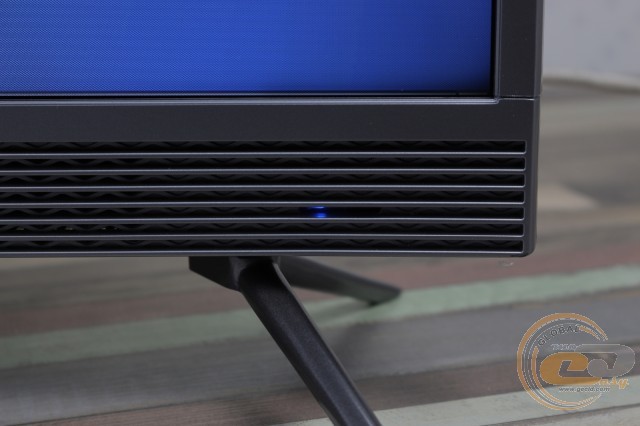
Nearby are holes for attaching the legs, which securely hold the TV on a flat surface. There are small rubber inserts on their tips. They increase stability and reduce the risk of damaging the table surface.

The activity indicator is located in the lower right corner. It glows blue and does not attract unnecessary attention.
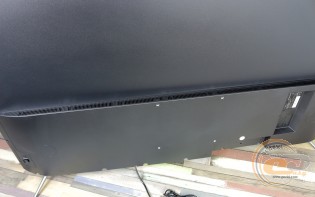
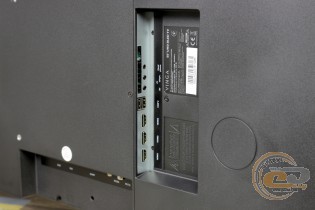
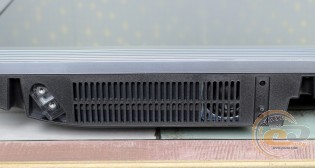
The rear side panel stands out with a restrained and thoughtful design, without any decorative elements. In its lower part, the power supply unit and hardware platform are housed, so there are ventilation holes for hot air extraction. In the center, VESA bracket holes catch the eye.
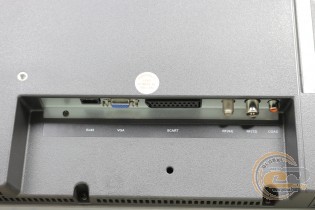
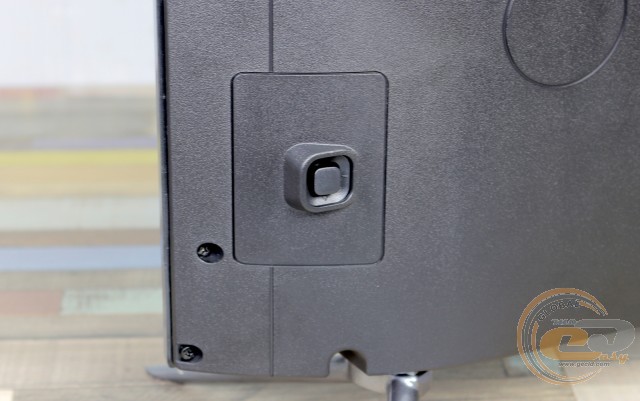
All available interfaces are labeled and directed downwards or sideways for convenient access in case of wall mounting. Nearby is a sticker with technical information.
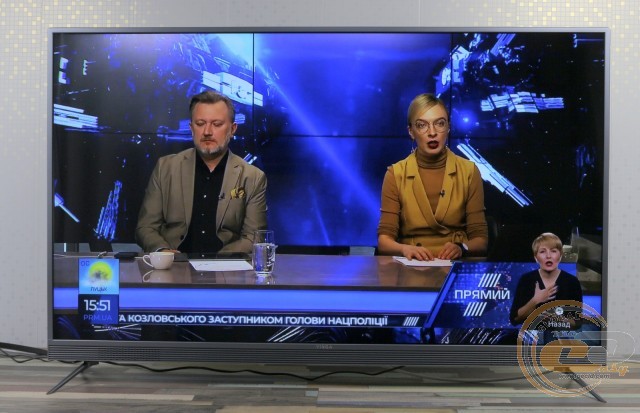
In the lower left corner of the rear panel, a joystick for menu access is hidden. With its help, you can navigate settings and activate the necessary items. Of course, it's more convenient to do this with the remote control.
Functional Capabilities
The Vinga M55UHD20G TV has built-in analog and digital tuners. Therefore, it supports the DVB-T2 standard relevant to our country right out of the box, and there's no need to purchase an additional set-top box. The main thing is that the antenna receives the signal well.
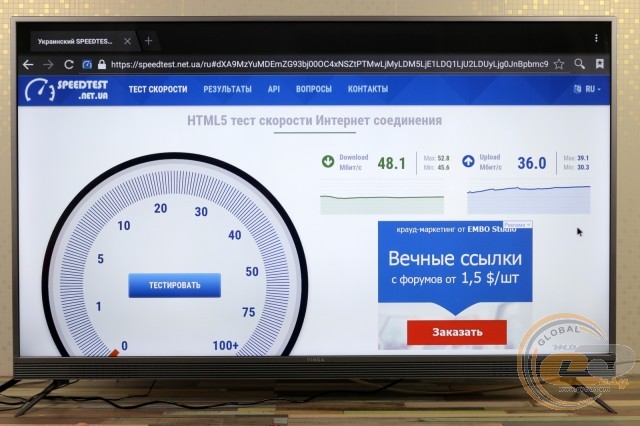
To connect to the internet, you can use the built-in Wi-Fi module or the RJ45 port. In the latter case, the reception and transmission speeds were 48.1 and 36 Mbps, respectively, with a channel width of 50 Mbps.
This is more than enough for comfortable web surfing, visiting your favorite sites, streaming video, or listening to audio.
The core features a 4-core processor (ARM Cortex A53) and 1 GB of RAM. An 8-gigabyte storage is used for data storage, but only 3 GB is available to us. The system runs on Android 7.0 OS. The RAM is insufficient, so navigating links and launching apps is not instantaneous, but there were no critical lags in the OS, apps, or games.
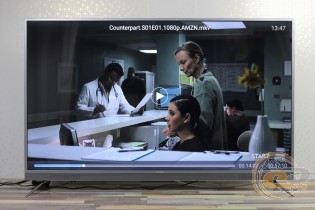
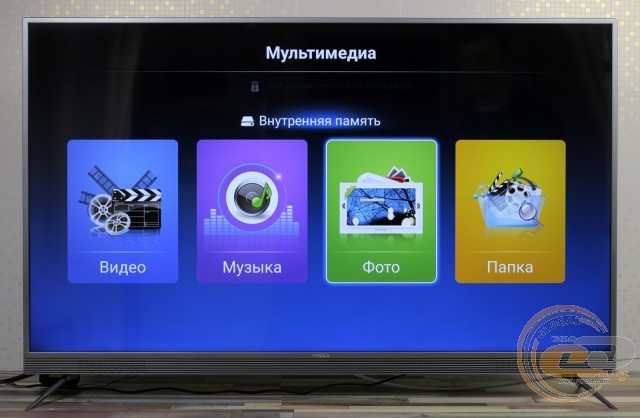
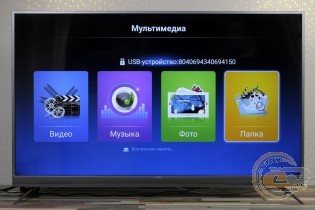
If desired, you can view multimedia files from a USB drive.
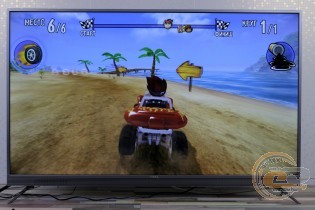
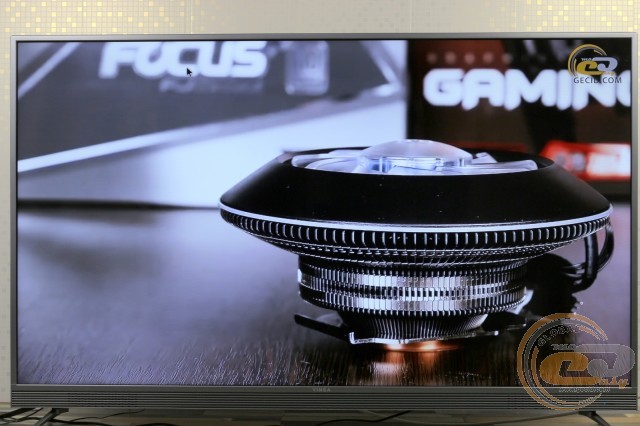
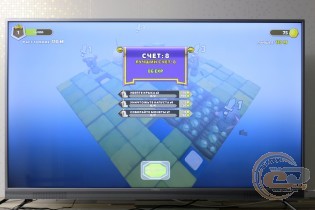
And if you want to have some fun, simple Android games are at your disposal. Or you can connect a powerful PC for more complex projects. But in this case, the TV will only be used as a monitor.
On-Screen Menu
To access the menu and adjust settings, you can use the joystick on the rear side or the remote control. The functional capabilities allow you to select the input signal source, set the image profile, adjust brightness, color, and contrast, change color temperature and aspect ratio, choose the audio subsystem mode, set a timer, and much more. The presence of Ukrainian and Russian language localization in the menu is pleasing.
Testing
During the testing of the Vinga M55UHD20G TV, the hardware platform was the ZOTAC ZBOX nano ID65 PLUS mini-computer. A full description of the research methodology can be found in this material.
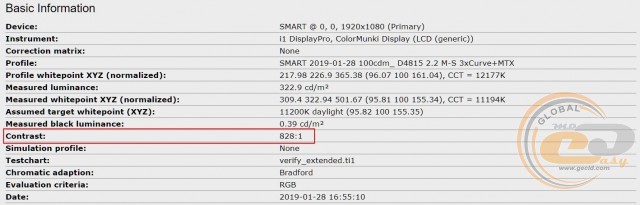
The display includes five color profiles: «Bright», «User», «Standard», «Cinema», and «Energy Saving». For convenience, we have compiled all their parameters in one table:
|
Profile |
Bright |
User |
Standard |
Cinema |
Energy Saving |
|
White field brightness, cd/m2 |
325.3 |
322.9 |
322.1 |
305.4 |
269 |
|
Black field brightness, cd/m2 |
0.3907 |
0.39 |
0.3909 |
0.3912 |
0.3236 |
|
Contrast Ratio |
833:1 |
828:1 |
824:1 |
781:1 |
831:1 |
|
White Point Color Temperature, K |
11060 |
11194 |
11130 |
12438 |
10973 |
|
Color Space Coverage of sRGB Standard, % |
70.9 |
73 |
73.4 |
68.6 |
73.1 |
|
Color Space Coverage of Adobe RGB Standard, % |
48.9 |
50.3 |
50.6 |
47.2 |
50.4 |
|
Average Deviation dE*94 (∆E) |
8.44 |
9 |
9.12 |
9.5 |
8.97 |
|
Maximum Deviation dE*94 (∆E) |
24.79 |
29.79 |
29.21 |
29.77 |
29.74 |
|
Average Gamma |
1.39 |
1.86 |
1.86 |
2.04 |
1.86 |
|
Power Consumption, W |
80.5 |
80.2 |
80 |
79.6 |
104.1 |
We will start the analysis of the results with brightness, contrast, and color temperature indicators. There were no complaints about the first one: the declared brightness is 250 cd/m2, and in reality, it can reach 325 cd/m2. Therefore, even on a sunny day, there will be no problems with viewing.
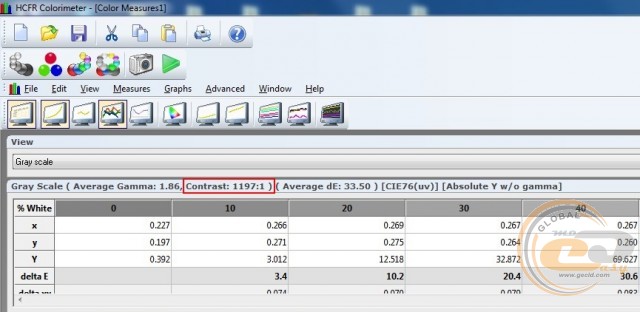
When evaluating static contrast, the test programs disagreed: the first one's indicators are in the range of 780:1 - 835:1, and the second one - 1100:1 - 1200:1. Since we use the first one, its results are recorded in the table, but it's hard to say which one is right.
The color temperature is traditionally significantly overestimated: instead of the normal 6500 K, we get over 10,000 K. As a result, the picture will be cooler than usual.
Color Coverage
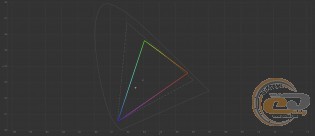
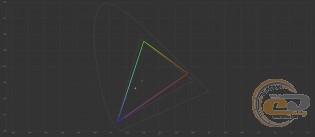
CIE diagrams of the "Bright" profile for sRGB and Adobe RGB spaces
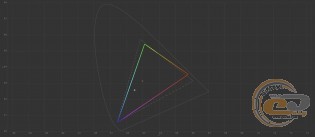
CIE diagrams of the "Custom" profile for sRGB and Adobe RGB spaces
CIE diagrams of the "Standard" profile for sRGB and Adobe RGB spaces
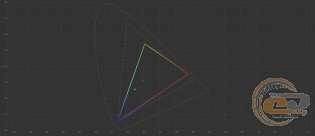

CIE diagrams of the "Cinema" profile for sRGB and Adobe RGB spaces
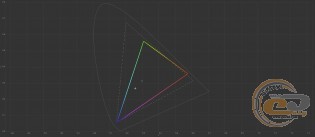

CIE diagrams of the "Energy Saving" profile for sRGB and Adobe RGB spaces
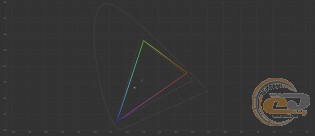
The first truly significant disappointment came when looking at the color coverage: 73% for sRGB and 51% for Adobe RGB. Good indicators for non-professional monitors and TVs can be considered within 90% and 65%, respectively.
Judging by the CIE diagrams for the sRGB palette, the biggest shortfall is felt in the area of purple, red, green, and blue shades.
Color Accuracy
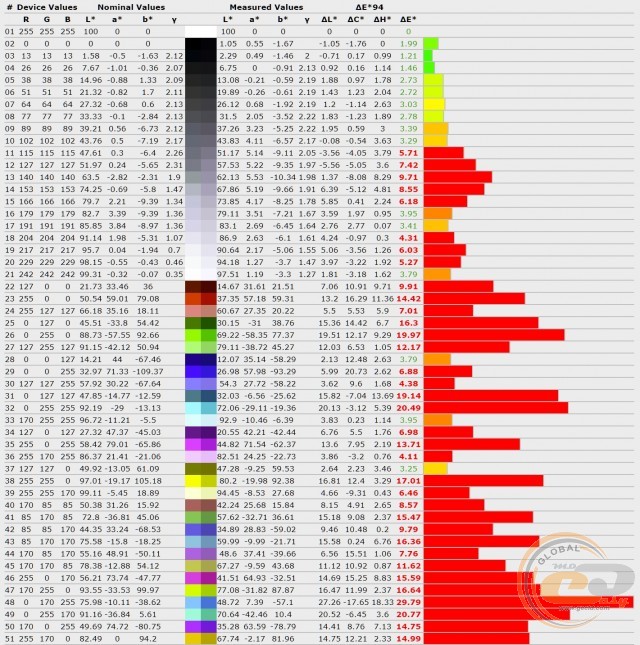
Deviation diagram of primary colors and shades from the reference of the "Bright" profile
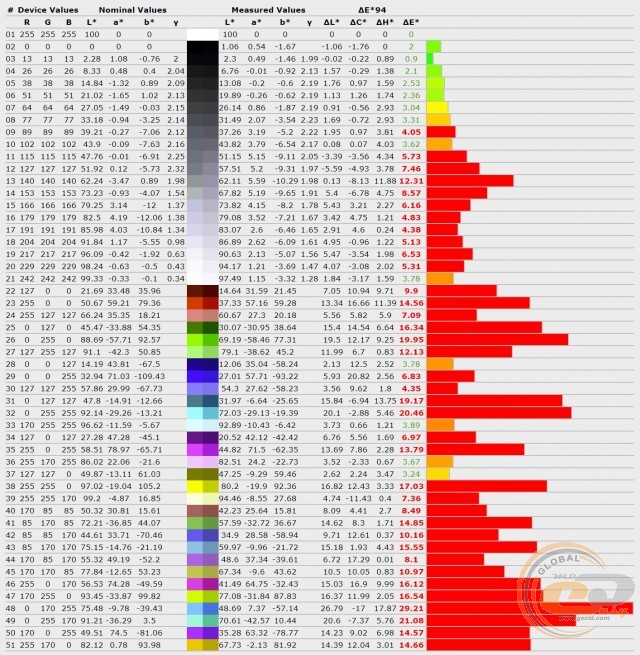
Deviation diagram of primary colors and shades from the reference of the "Custom" profile
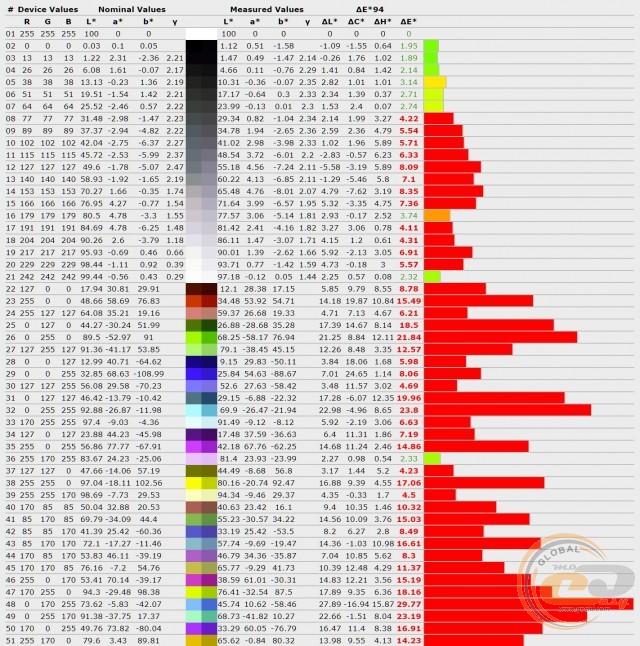
Deviation diagram of primary colors and shades from the reference of the "Standard" profile
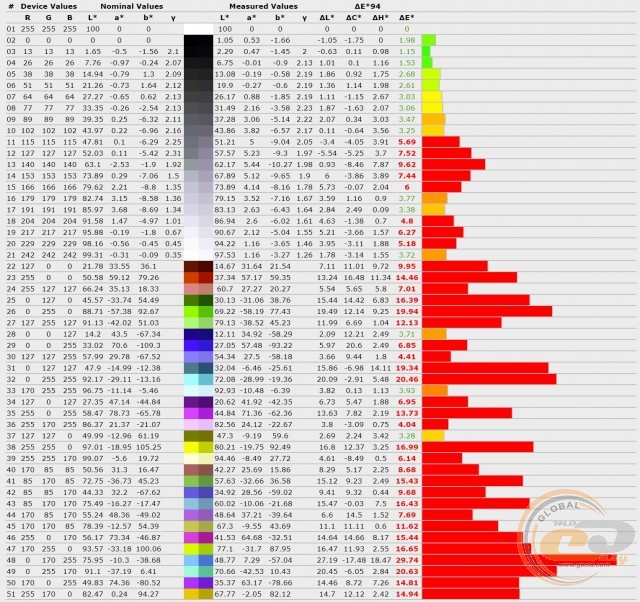
Deviation diagram of primary colors and shades from the reference of the "Cinema" profile
Deviation diagram of primary colors and shades from the reference of the "Energy Saving" profile
The accuracy of color and shade transmission is also disappointing: in all profiles, the average and maximum deviation ΔE were much higher than 1.5 and 4, respectively.
RGB Levels
RGB Levels Chart of the "Bright" Profile
RGB Levels Chart of the "Custom" Profile
RGB Levels Chart of the "Standard" Profile
RGB Levels Chart of the "Cinema" Profile
RGB Levels Chart of the "Energy Saving" Profile
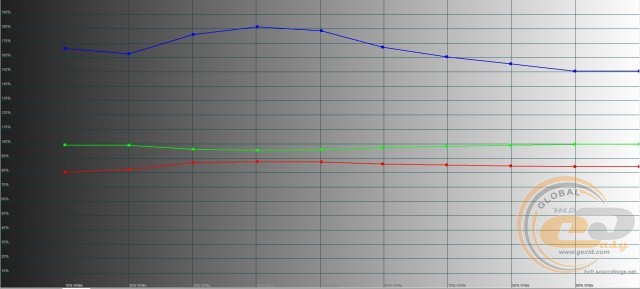
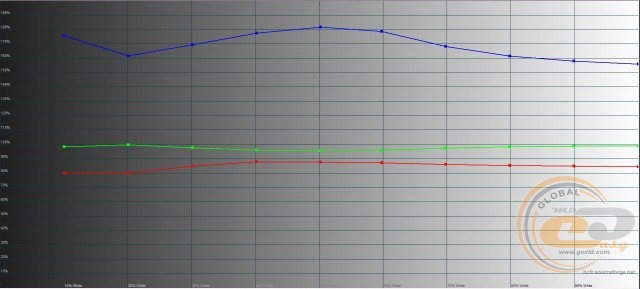
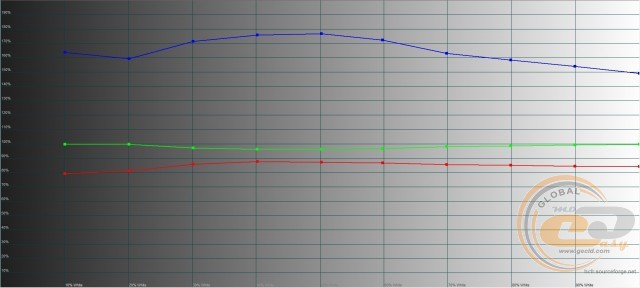
The RGB levels settings were not surprising. As usual, we note the perfect setting of the green component, slightly lowered red (80% - 90%), and significantly elevated blue (180% at peak). Therefore, the image on the screen appears cooler.
Gamma
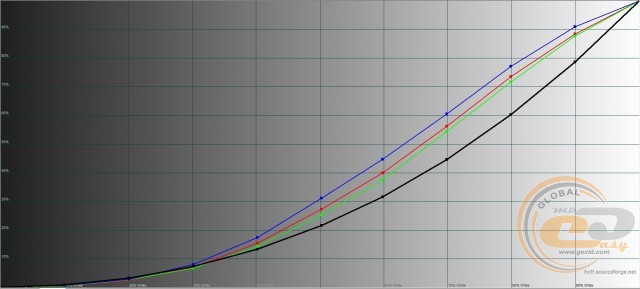
Gamma Curves Chart of the "Bright" Profile
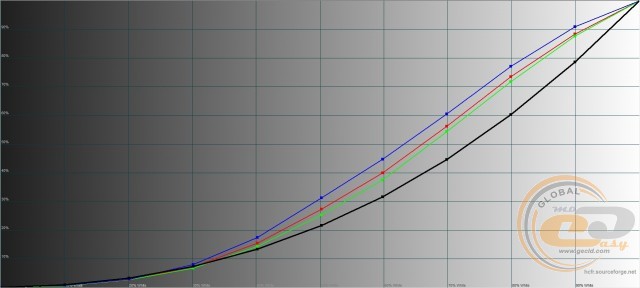
Gamma Curves Chart of the "Custom" Profile
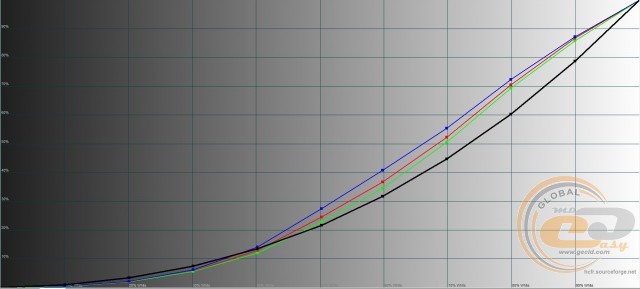
Gamma Curves Chart of the "Standard" Profile
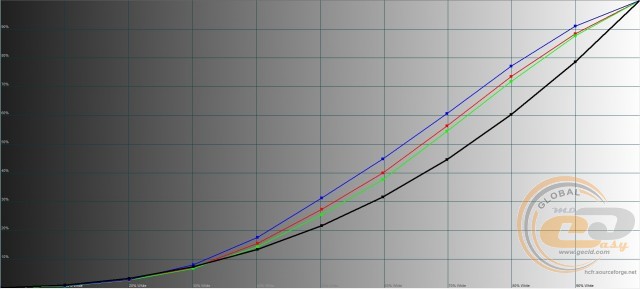
Gamma Curves Chart of the "Cinema" Profile
Gamma Curves Chart of the "Energy Saving" Profile
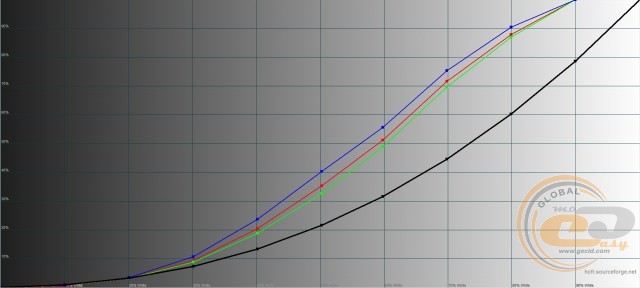
The "Cinema" profile performed the best. Although even in it, the gamma curves are above the reference black line, which can cause overexposure of midtones and loss of detail in bright areas of the image. The "Bright" mode is the underperformer.
Brightness Range
Based on the test results, the most balanced profile on the Vinga M55UHD20G TV is the "Custom" profile, so further research was conducted based on it.
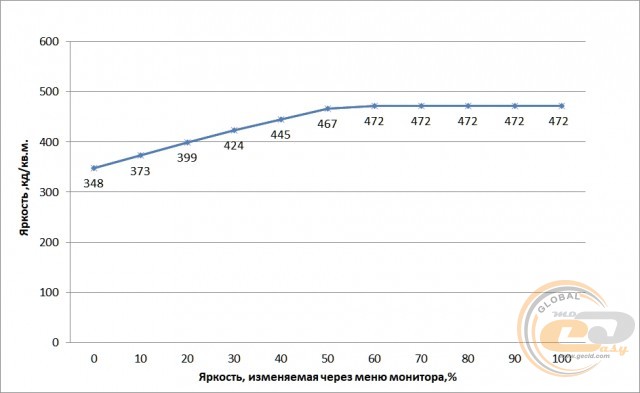
Brightness ranges from 348 to 472 cd/m2. The minimum value is excessive for viewing in dark conditions, while the upper limit ensures comfortable work even in bright sunlight.
Monitor Calibration
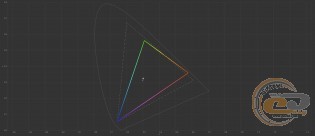
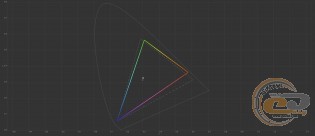
CIE Diagrams of the Calibrated Profile for sRGB and Adobe RGB Spaces
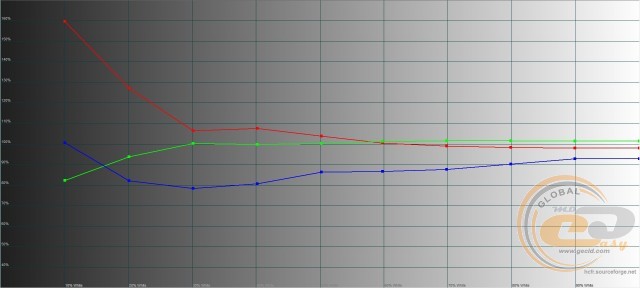
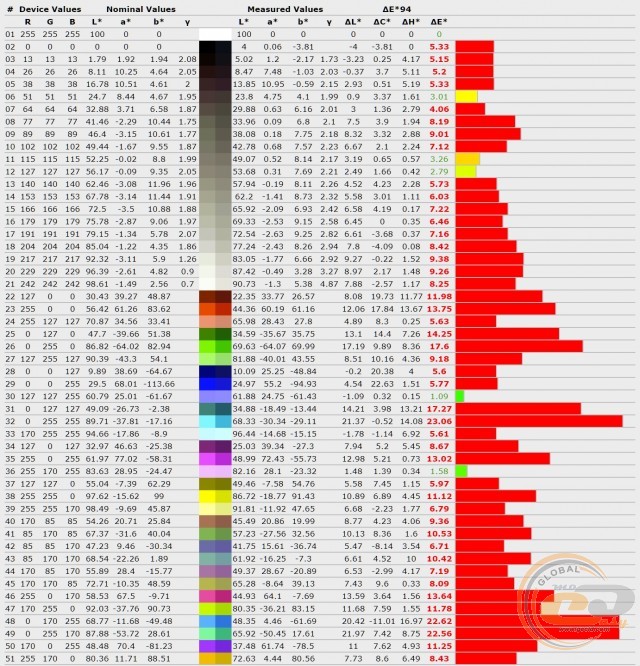
Diagram of Deviation of Primary Colors and Shades from Standards in the Calibrated Profile
RGB Levels Chart of the Calibrated Profile
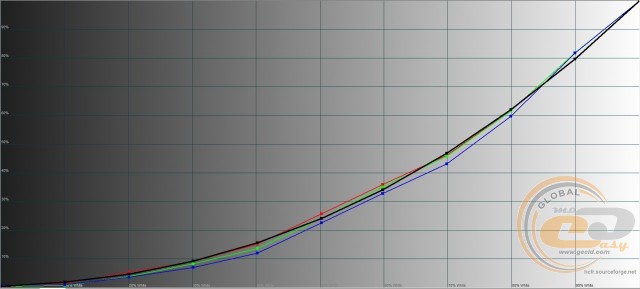
Gamma Curves Chart in the Calibrated Profile
The calibration file is available at this link. The results obtained before and after hardware calibration are summarized in the table.
|
Parameters |
Custom |
Calibrated |
|
White Field Brightness, cd/m2 |
322.9 |
53.8 |
|
Black Field Brightness, cd/m2 |
0.39 |
0.2395 |
|
Contrast Ratio |
828:1 |
225:1 |
|
Color Temperature of White Point, K |
11194 |
6003 |
|
sRGB Color Space Compliance, % |
73 |
82 |
|
Adobe RGB Color Space Compliance, % |
50.3 |
56.5 |
|
Average Deviation dE*94 (∆E) |
9 |
8.76 |
|
Maximum Deviation dE*94 (∆E) |
29.79 |
23.06 |
|
Average Gamma |
1.86 |
2.06 |
|
Power Consumption, W |
80.2 |
49.3 |
Manual calibration allowed for a 6% - 9% increase in the coverage of sRGB and Adobe RGB spaces, normalized the color white point, improved the positioning of RGB levels and gamma curves. The accuracy of color and shade reproduction also improved, but this is not noticeable to the eye.
Screen Backlight Uniformity
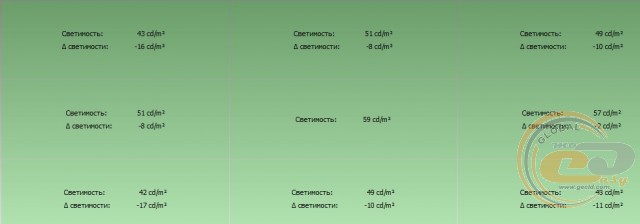
The maximum brightness deviation relative to the central area does not exceed 17 cd/m2. This is a good result.
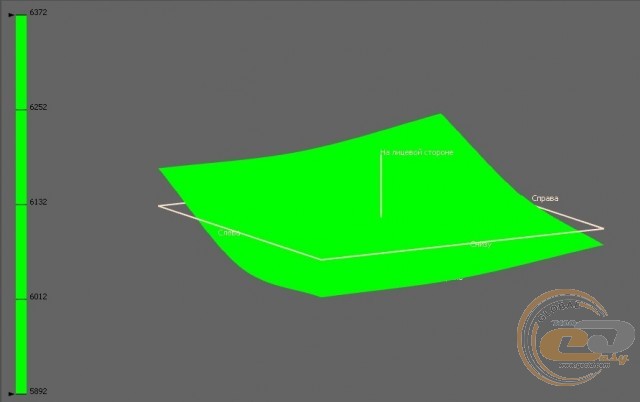
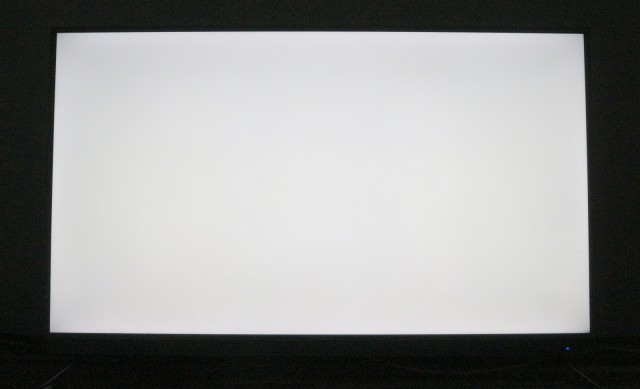
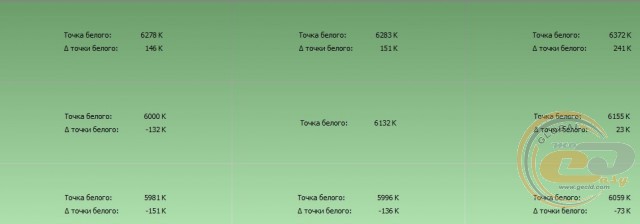
The temperature of the white point in all areas remained within acceptable limits of ±250 K, although in the upper right corner it closely approached its boundary. The 3D diagram also does not signal any problems.
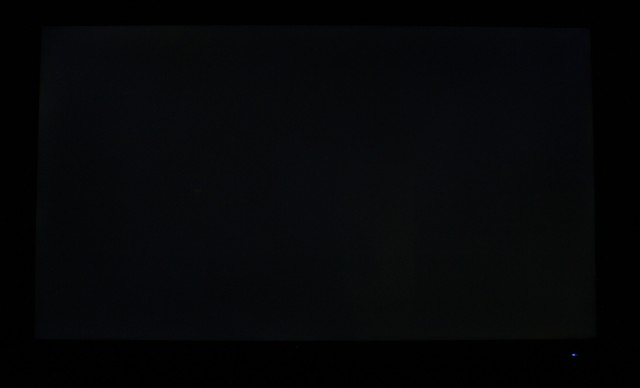
On a black background, slight backlight bleed is visible around the perimeter, but it is not significant. No issues were noticed on a white background.
Matrix Speed and PWM
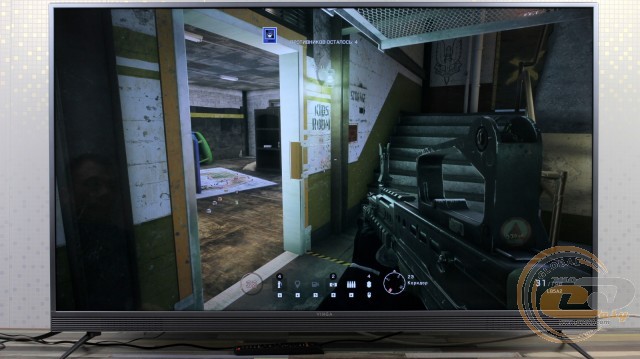
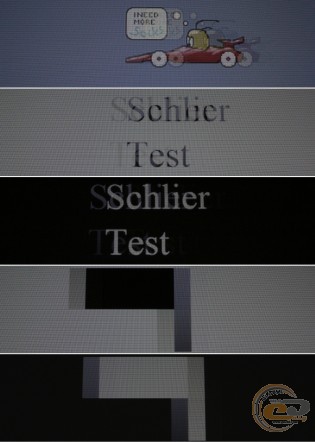
The matrix response speed is 8 ms. With the help of special equipment, you can see trails that are indeed longer than those of faster monitors. However, in reality, they are not noticeable, so you can watch dynamic movies or play games without any problems.
For example, computer shooters are handled without issues. The main thing is to choose the resolution of the picture so that the system provides a comfortable frame rate and is pleasant for the eyes.
Brightness - 25%, exposure - 1/15
Another pleasant bonus is the absence of visible backlight flicker, as indicated by a single solid front in the image. This reduces eye strain and increases comfort during prolonged screen time.
Viewing Angles
Official sources do not report the viewing angles of the Vinga M55UHD20G monitor. In reality, they are quite wide. When viewed from sharp angles, the image does not fade, but there is some whitening. However, the large diagonal helps minimize this effect, as even a small group can comfortably sit in front of such a screen.
Conclusions
What makes the Vinga M55UHD20G TV good? Primarily, the ratio of its functional capabilities to its price. For 13,999 UAH, you get a 55-inch model with 4K resolution and SmartTV support, implemented on the basis of a 4-core processor, 1 GB of RAM, and Android 7.0 OS. There is a good set of external interfaces for connecting signal sources, built-in analog and digital tuners, as well as Wi-Fi and Ethernet network modules for internet connectivity. It allows you to watch streaming video, listen to music, install apps, or simple games. The available 3 GB of permanent memory is unlikely to be enough for this, but two USB ports will help organize external storage. You can also view multimedia files with their help.
But at this price, there are compromises. Primarily, the image quality suffered, which can be subjectively assessed as average. Objectively, there are complaints about the color coverage of the sRGB space, color and shade accuracy, as well as the RGB levels and gamma curve settings. There are no complaints about the backlight operation, matrix speed, and viewing angles.
Therefore, before purchasing, we recommend evaluating the picture quality yourself. If it suits you or is not particularly important for the chosen work scenario, and the main role is played by the combination of available functionality and price, then the TV will not disappoint you. Otherwise, consider the slightly more expensive model Vinga E55UHD20B.
Advantages:
- 55-inch panel with 4K resolution;
- Smart TV support;
- 4-core processor;
- built-in Wi-Fi module and Ethernet port;
- attractive and functionally designed body;
- easy-to-use remote control;
- extended set of external interfaces;
- ability to play multimedia content from an external USB drive;
- support for analog and digital television;
- convenient interface orientation for wall mounting;
- pair of built-in speakers with a total power of 16 W;
- functional menu with Ukrainian and Russian language localization;
- pre-installed Android 7.0 OS;
- wide viewing angles;
- good brightness range;
- support for wall mounting.
Disadvantages:
- weak color coverage and overall average picture quality.
Author: Serhiy Budilovskyi
Translation: Liliya Masyuk