How much are you willing to pay for an air-cooled CPU cooler? $12? Or maybe $34? These numbers are not chosen randomly - that's exactly how much the most affordable and the most expensive representative of this segment of devices from Vinga costs. We have already studied the capabilities of the latter, and it coped with overclocked test processors.
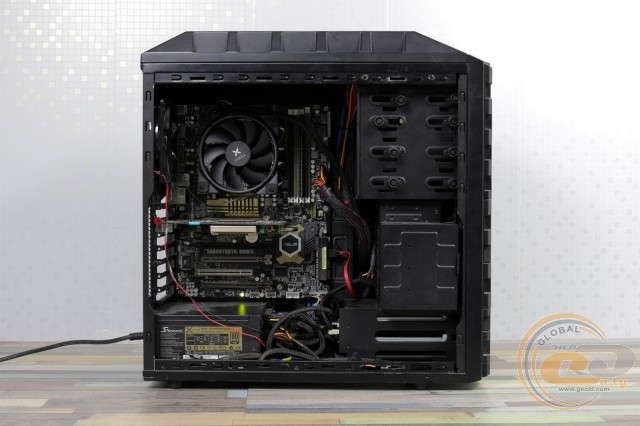
Will the Vinga CL3006 be able to repeat this achievement at a price of $31 and with a more conventional radiator design? You'll find out soon.
Specification
|
Model |
Vinga CL3006 |
|
|
Supported CPU Platforms |
AMD Socket AM2 / AM2+ / AM3 / AM3+ / AM4 / FM1 / FM2 / FM2+ Intel Socket LGA775 / LGA1156 / LGA1155 / LGA1150 / LGA1151 |
|
|
Heat Pipes |
Material |
Copper |
|
Quantity |
4 |
|
|
Diameter, mm |
6 |
|
|
Radiator Fins |
Material |
Aluminum |
|
Quantity |
48 |
|
|
Fins per Inch |
13 |
|
|
Thickness, mm |
0.4 |
|
|
Distance Between Fins, mm |
1.8 |
|
|
Base Dimensions, mm |
35 x 46 |
|
|
Thermal Interface |
Thermal paste in syringe |
|
|
Number of Fans |
1 |
|
|
PWM Fan Speed Control |
Yes |
|
|
LED Lighting |
Blue |
|
|
Bearing Type |
Hydraulic |
|
|
Fan Voltage, V |
12 |
|
|
Fan Speed, RPM |
800 – 1500±10% |
|
|
Airflow, m3/h (CFM) |
59.5 – 98.6 (35 – 58) |
|
|
Noise Level, dB |
18 – 26.5 |
|
|
Power Connector |
4-pin |
|
|
Cable Length, cm |
36 |
|
|
Fan Dimensions, mm |
120 x 120 x 25 |
|
|
Cooler Dimensions, mm |
130 x 120 x 74 |
|
|
Manufacturer's Website |
||
Packaging and Delivery Set
The box with beautiful printing introduces us to the appearance and main characteristics of the device.
Inside, we found a fan and six polyethylene bags. After checking their contents, we found everything needed for cooler installation:
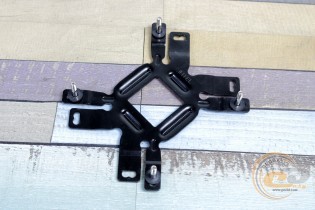
- universal reinforcement plate with gasket;
- a set of metal mounts, screws, nuts, and gaskets for different platforms;
- thermal paste in a syringe;
- wrench;
- paper documentation.
Appearance and Construction
If the price difference with the top Vinga CL3008 is small, the design of the Vinga CL3006 is completely different. The cooler, with a height of 74 mm, is clearly oriented towards compact cases where a classic tower simply won't fit.
The radiator part itself measures 102 x 105 x 20 mm. It consists of 48 aluminum fins threaded onto four heat pipes. To ensure proper efficiency, the fin density is slightly higher than in conventional tower solutions (1.8 mm), allowing for a slight compensation for their smaller thickness.
The pipes have been well worked on. Firstly, there is a nickel-plated coating to protect the copper from oxidation and give the structure a cohesive appearance. Secondly, the ends of the pipes are equipped with decorative caps of the corresponding color.
Their placement also promotes even heat distribution and good airflow over each of them.
Six plates turned out shorter than the others, providing access for a screwdriver during installation.
On the top side, there are metal mounts for the fan, which are secured with screws to the upper and lower plates.
The base of the cooler also caught our attention. With dimensions of 35 x 46 mm, it is well-suited for processors in mainstream platforms. Initially, it is covered with a transport film, which needs to be removed before installation. There are gaps between the heat pipes filled with aluminum. Unfortunately, the traces of surface treatment are visible to the naked eye even under the film. However, for such an affordable solution, this approach is quite justified.
The 120-mm fan used is a real "partisan": it stubbornly conceals its electrical characteristics, hiding behind the Vinga brand logo. However, some information can still be found on the official website.
The fan is based on a hydraulic bearing - it's nice to see something more reliable here than a simple sleeve. Its rotation speed is stated to be between 800 - 1500 RPM with a 10% tolerance, but in practice, the figures turned out to be somewhat different.
Additional "options" include blue LED lighting (activated at 8V and above), ...
... optimized blade shape and anti-vibration pads made of dense rubber installed on both sides.
The fan is securely attached to the radiator with four included screws. It is powered via a 4-pin 36-cm cable.
Installation Process
Installing horizontal coolers usually requires more patience than with tower solutions. The reason for this is the complicated access for fingers (depending on their size) to the mount.
In the case of Vinga CL3006, this was also the case, but overall the installation process will go without any nuances.
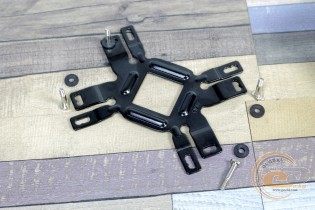
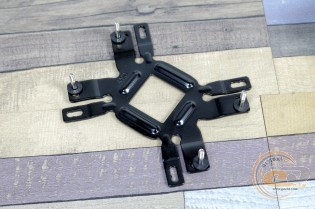
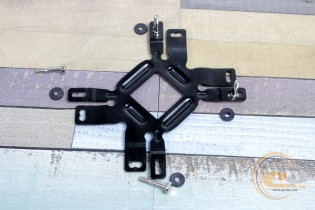
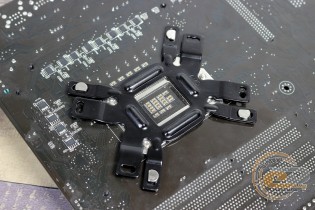
Insert screws into the holes of the universal plate, thread the pads, and mount all this onto the motherboard.
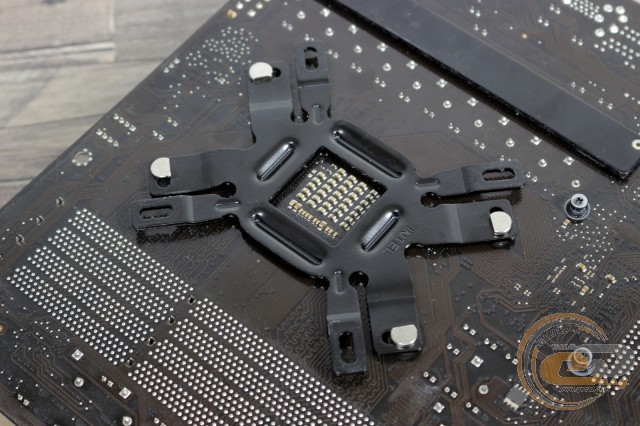
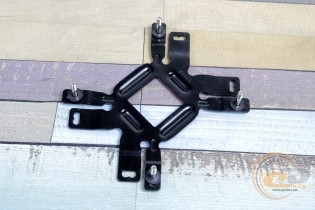
In the case of AMD CPU system boards, the plate is installed with the "Intel" inscription facing outward.
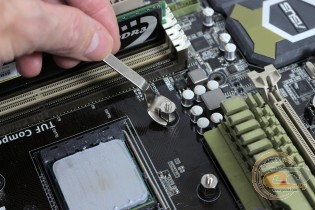
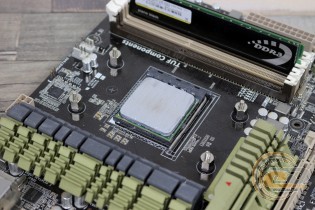
The next step is threading the pads from the top side. Then they are secured with pins using the included wrench.
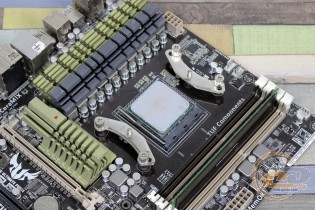
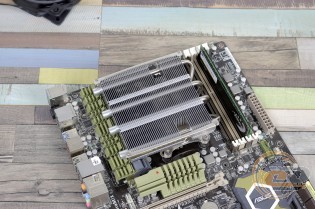
On top, install the mounts for AMD platforms, screwing them with nuts with shaped heads. It's time to remove the protective film from the base, apply the thermal interface, and place the cooler in position.
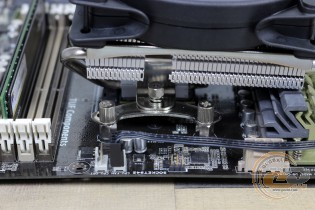
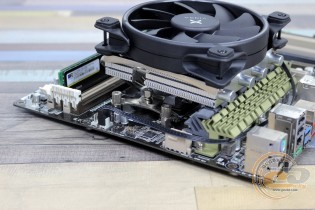
It is secured with a pressure plate and two spring screws. Tightened well? Then you can install the fan and connect it to the motherboard.
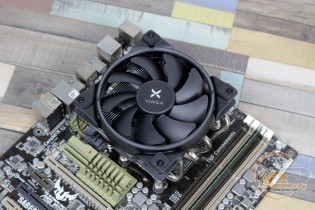
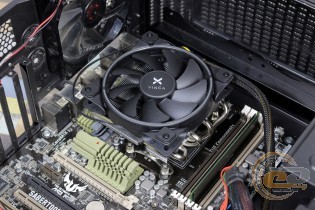
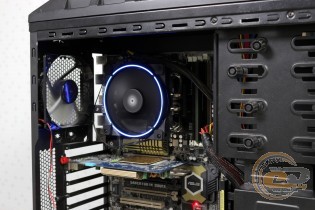
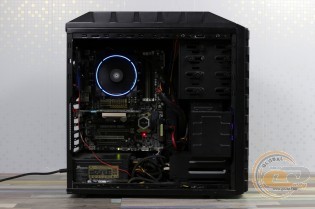
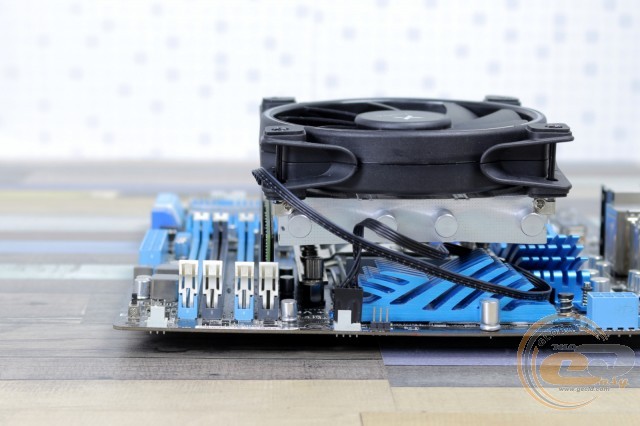
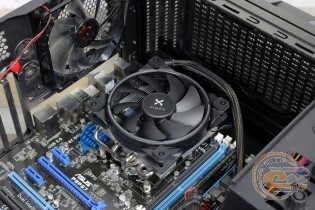
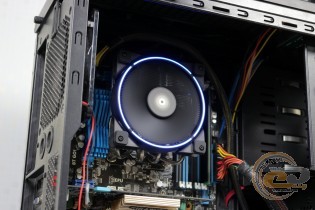
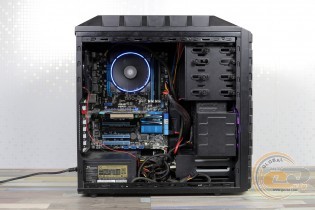
If you position the cooler as shown in the photo, then compatibility with memory will please you. You can even install overclocking modules in all slots if desired. Although the radiator itself is positioned close to the socket cooler: if they were slightly higher, you would have to think about their removal. Also, when covering the I/O port area with the cooler, it will be necessary to remove the rear case fan.
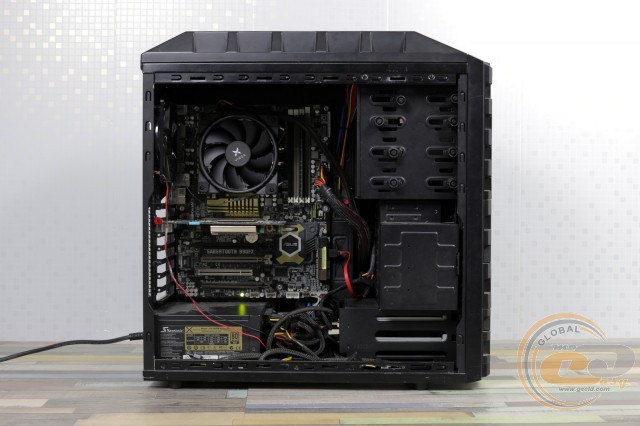
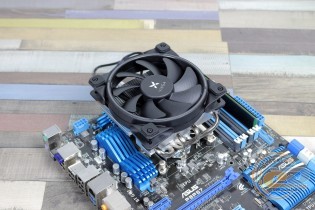
The strict appearance of Vinga CL3006 will perfectly complement cases and motherboards made in a similar color.
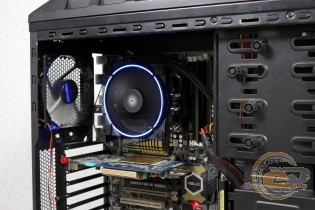
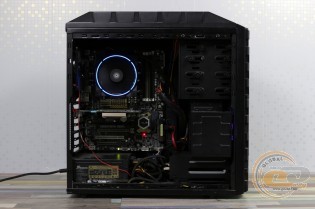
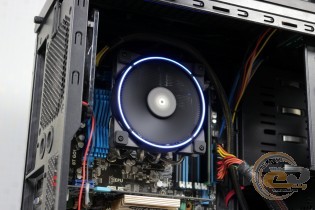
The light from the fan has a pleasant soothing blue tint. Perhaps you would like to synchronize it with the glow of the motherboard, but this would definitely affect the price.
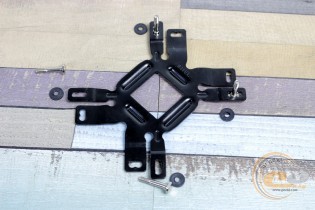
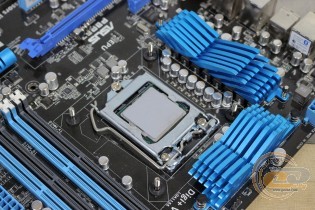
On Intel platforms, different holes of the reinforcement plate are used.
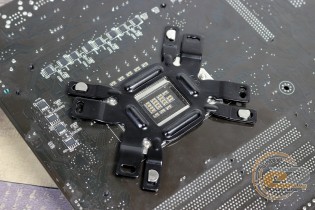
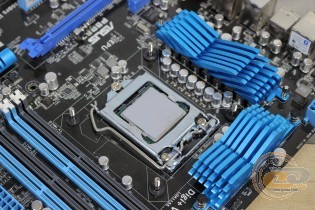
And it is installed with the reverse side facing out. However, the same pads and screws are used.
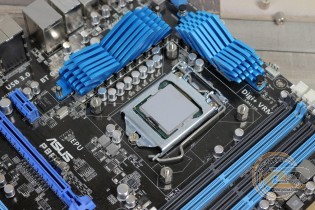
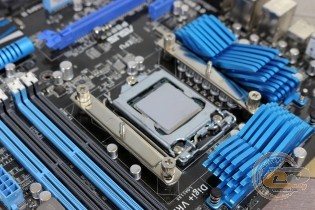
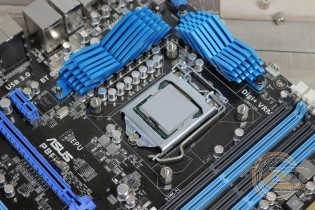
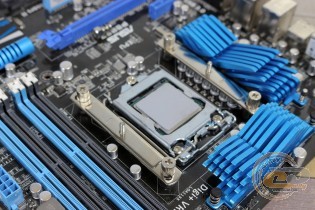
From the top side, install the pins, screwing them with a wrench. And even higher, secure two metal plates to which the cooler will be attached. Note that they can be installed in different ways: in horizontal or vertical orientation, which directly affects compatibility with adjacent components.
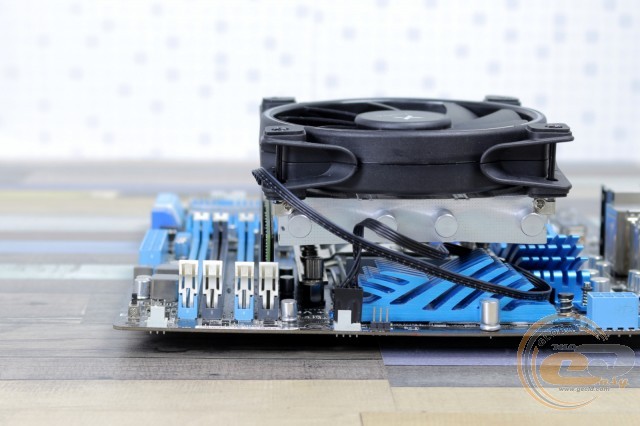
Yes, in our case, the ability to install tall RAM modules in the first DIMM slot was sacrificed - the fan and its mount will be a clear obstacle.
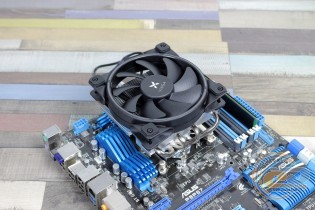
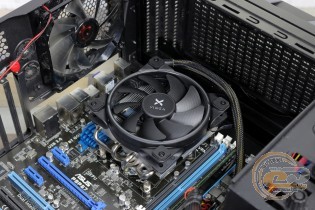
Here too, there may be cases of incompatibility with large power node radiators, requiring their removal. At least that was the case with the top cooler of the MSI B350I Pro AC board, which turned out to be too high.
Testing
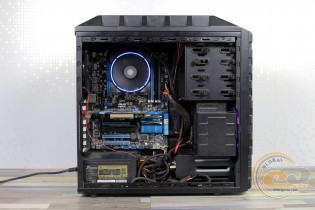
The following equipment was used to test the Vinga CL3006 CPU cooling system:
|
Processors |
AMD Phenom II X6 1100T @ 3.3 GHz, (Socket AM3+, L3 6 MB) Intel Core i5-2500K @ 4.5 GHz, 1.44 V (Socket LGA1155, 3.3 GHz, L3 6 MB) |
|
Motherboards |
ASUS SABERTOOTH 990FX (AMD 990FX, Socket AM3+, DDR3, ATX) ASUS P8P67 (Intel P67, Socket LGA1155, DDR3, ATX) |
|
RAM |
2 x DDR3-1333 1 GB TwinMOS 9DRTBKZ8-TATP |
|
Video Card |
AMD Radeon HD 6950 (2 GB GDDR5) |
|
Power Supply Unit |
Seasonic X-760 (SS-760KM), 120-mm fan |
|
Case |
Enermax Hoplite ECA 3220 (2 x 120-mm fans) |
|
Thermal Paste |
akasa AK-460 pro-grade (3.3 W/m·K, -45…+200°C) |
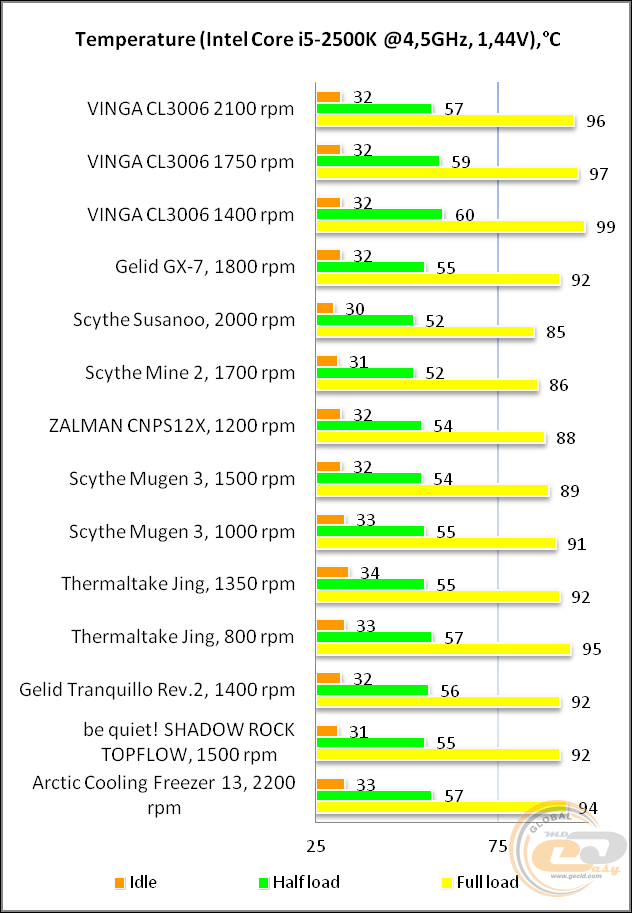
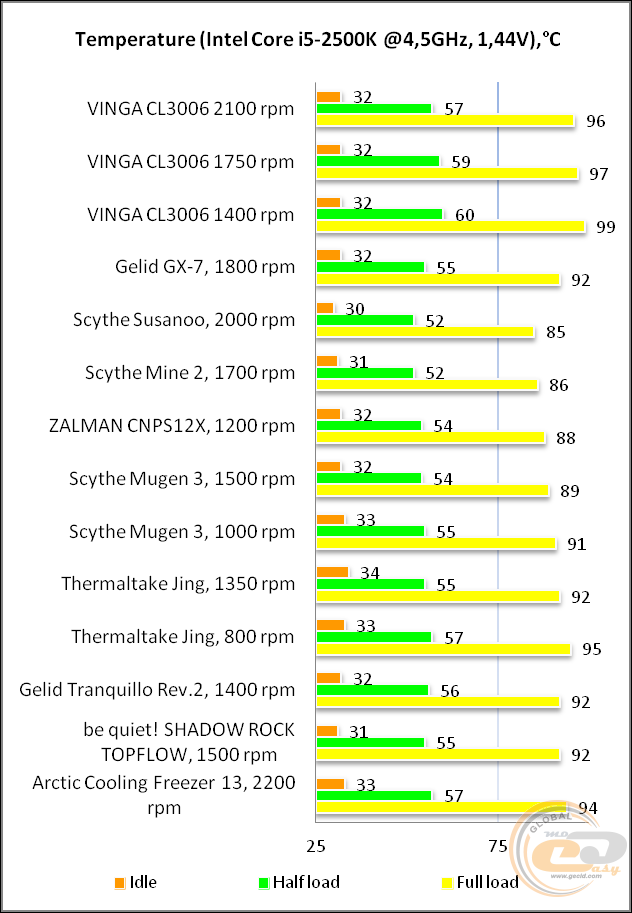
The performance of Vinga CL3006 is just enough to dissipate heat from an overclocked Intel Core i5-2500K at 4.5 GHz. The relatively compact design makes itself known, and even the high fan speed of 2100 RPM allows only a couple of degrees to be gained. However, the novelty can be used on processors with overclocking potential. It's just that it won't be fully realized, especially inside a compact case.
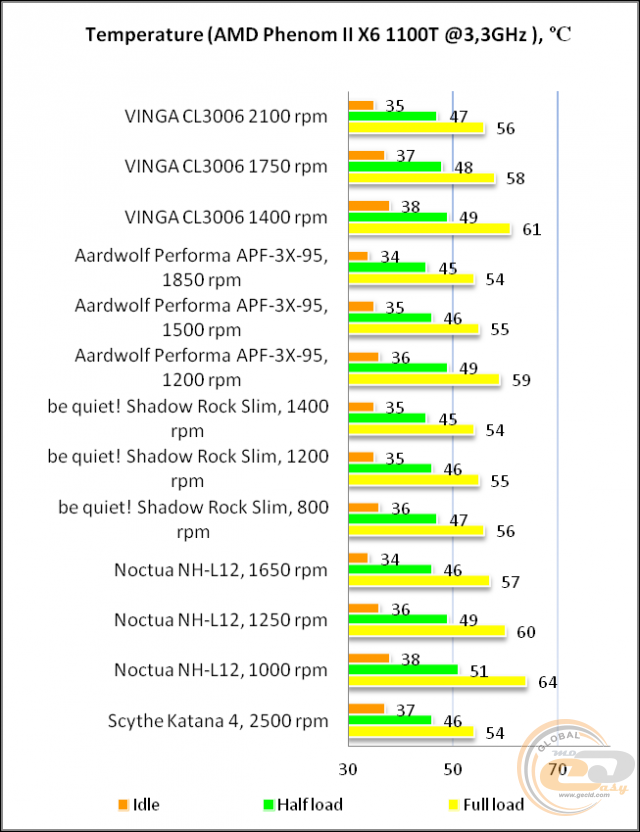
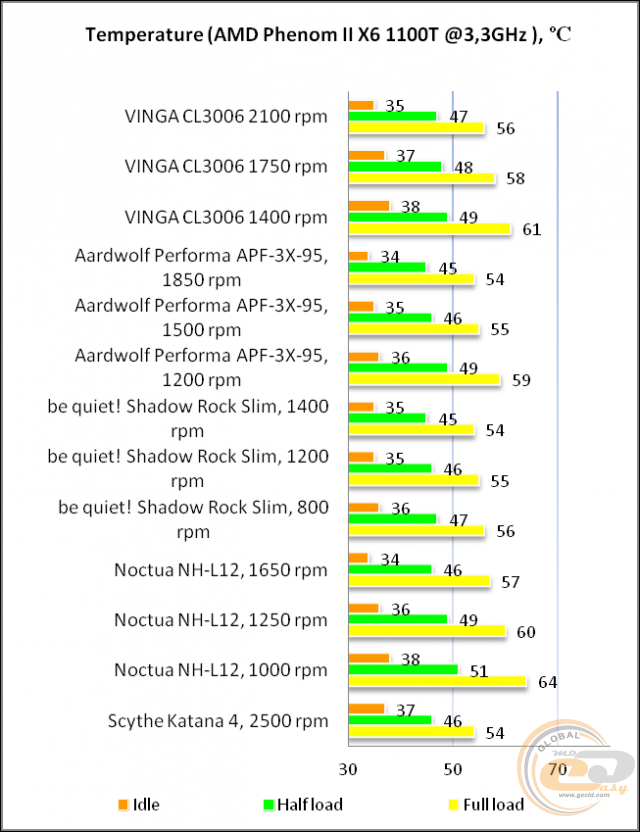
However, the hot temper of the 125-watt AMD Phenom II X6 1100T forced us to forgo overclocking. The resulting temperature readings are somewhat higher than those of compact "towers," but the main thing is that the efficiency of the novelty is more than sufficient to perform its task even at the minimum fan speed.
Recall that the full load mode assumes maximum utilization of all processor cores. Therefore, in real conditions, where the load is variable (for example, in games), you can safely expect lower temperature readings.
|
Power Supply Voltage, V |
Blade Rotation Speed, RPM |
Noise Level |
|
6 |
1340 |
Almost silent |
|
7 |
1500 |
Very quiet |
|
8 |
1670 |
Quiet |
|
9 |
1800 |
Quiet |
|
10 |
1920 |
Below average |
|
11 |
2060 |
Average, with a slight hum |
|
12 |
2170 |
Average, with a slight hum |
And most pleasantly, at around 1400 RPM, the fan operates almost silently, allowing you to enjoy the hum of a passing mosquito. However, at a frequency of 2000 RPM and above, things are not so rosy. And in confined spaces, the noise will be quite noticeable.
Conclusions
Vinga products often win not so much the hearts as the wallets of their buyers. Something similar is the case with the Vinga CL3006 CPU cooler. Essentially, it's a conventional slim cooler for relatively compact systems. Pleasant features such as nickel-plated heat pipes with decorative caps and a fan on a hydraulic bearing are combined here with a not very efficient aluminum base with mediocre polishing.
In practice, the tandem of a heatsink with four heat pipes and a 120-mm fan allows you to enjoy silence when using quite power-hungry processors or to play with overclocking, but without a comfortable acoustic background and not as high performance as would be the case with tower solutions. The price of compactness, nothing can be done.
Considering all of the above along with the original form factor, at a price of $31, the Vinga CL3006 looks like a tempting piece. Of course, there will always be more productive solutions, but they are also more expensive. Therefore, when assembling a compact system, the tested cooler with a height of 74 mm has every chance of success. But it is worth paying attention to the VRM block heatsinks of the motherboard: due to their too large size or extravagant shape, compatibility issues may arise. Therefore, sometimes you should look for a more modest board.
Advantages:
- good efficiency in its class;
- compatibility with mainstream AMD and Intel platforms over a decade old;
- use of a PWM-regulated 120-mm fan with optimized blades, anti-vibration pads, and LED backlighting;
- use of a hydraulic bearing in the propeller base;
- good compatibility with RAM modules (AMD platform);
- low height of the structure (74 mm);
- relative ease of installation.
Features:
- partial overlap of the first DIMM slot on the Intel platform;
- possible conflict with large heatsinks around the processor.
Author: Oles Paholok
Translation: Liliya Masyuk