Although we have tested over twenty cases from Vinga, this does not mean that the manufacturer has nothing left to surprise our regular readers. However, this time it's about one of the most compact representatives of the lineup.
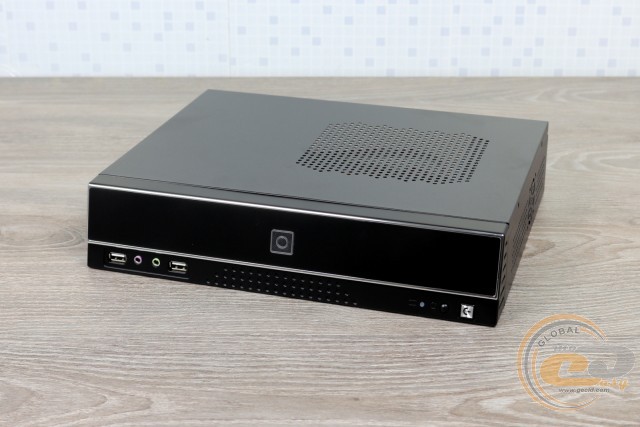
Specifically for fans of small PCs, a series of five cases have been developed: starting from Vinga CS401B and ending with CS405B. We received the first solution for testing with a pre-installed PSU, which at a cost of $35 is also the most affordable among them. Well, let's get acquainted.
Specification
|
Model |
Vinga CS401B |
|
|
Case size |
Micro Tower / Desktop |
|
|
Support for motherboard form factors |
Mini-ITX / microATX (dimensions up to 245 x 200 mm) |
|
|
Color |
Black |
|
|
Internal bays |
1 x 3.5” / 2.5” |
|
|
Expansion card slots |
- |
|
|
Maximum CPU cooler height (in brackets - own measurements) |
55 mm (50 mm) |
|
|
Connectors |
2 x USB 2.0 2 x audio ports |
|
|
Fan installation capability |
1 x 40-mm |
|
|
Power supply |
Vinga VPS-200W-F4 (190 x 60 x 55 mm) |
|
|
Materials |
Front panel |
Plastic |
|
Chassis |
Steel thickness 0.69 mm |
|
|
Sides |
Steel thickness 0.72 mm |
|
|
Case dimensions (W x H x D) (in brackets - own measurements) |
310 x 245 x 65 mm (310 x 246 x 64 mm) |
|
|
Weight |
1.75 kg |
|
|
Warranty, years |
1 |
|
|
Manufacturer's website |
||
Packaging and Delivery Set
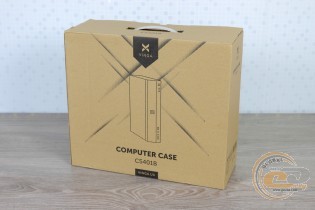
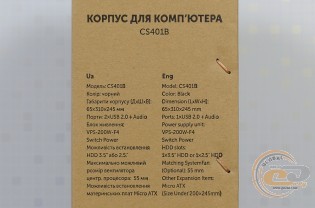
The monochrome box is equipped with a convenient handle for transportation. The specification table is present, but due to inaccuracies, it is better to refer to the official website.
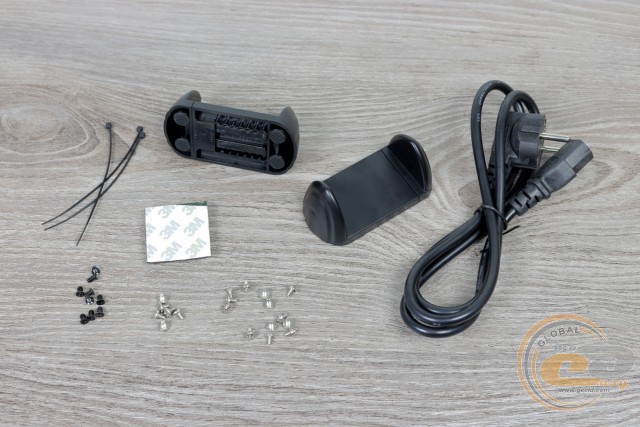
The package is assembled according to the device's design, allowing it to be used in various configurations. Inside the package, we found:
- a set of screws;
- cable ties;
- adhesive feet for horizontal placement;
- plastic stands for vertical placement;
- power cord.
Appearance
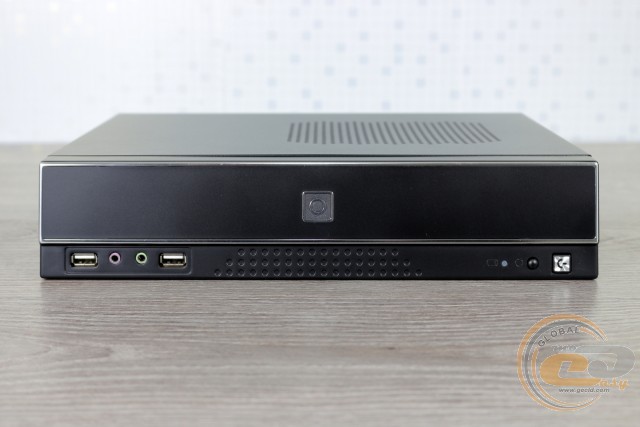
The black plastic of the front panel excellently conceals fingerprints, and the silver trim along with decorative recesses add pleasant notes to the design. Instead of the manufacturer's logo, an unclear emblem is used in the center, and there is no place for external devices. At the bottom are the power and reset buttons, a drive activity indicator, a pair of audio jacks, and two USB 2.0 ports. Yes, that's right - to reduce costs, very slow second-generation interfaces are used here. Not quite like the end of 2018...
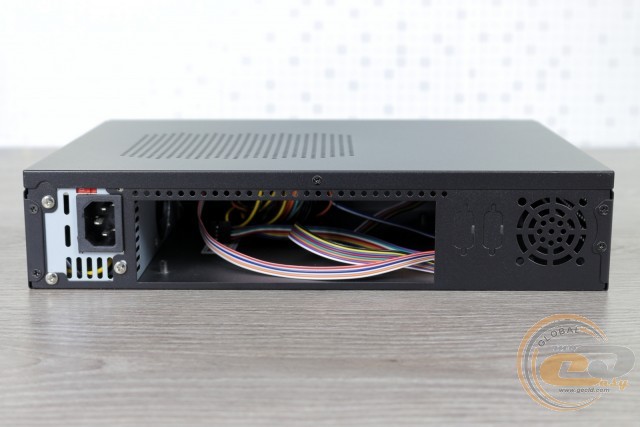
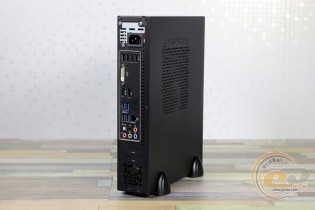
The back of the Vinga CS401B case is modest. In addition to the interface panel cutout, there are also several perforations, a cutout for a 40-mm fan, a pair of plugs for outputs (D-Sub or COM), and the rear panel of the power supply with an input connector.
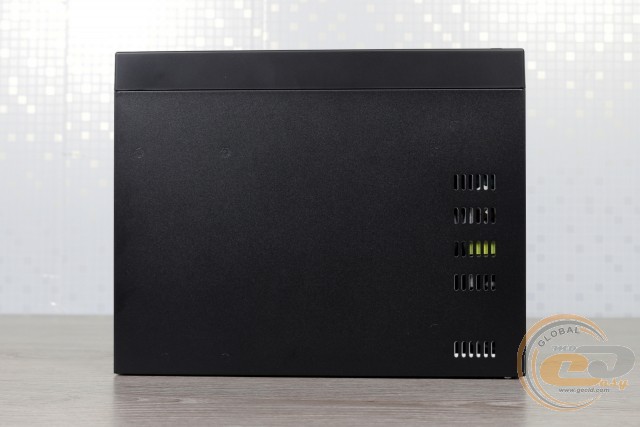
The power source itself draws air inside the system unit. Already heated, it is expelled through openings at the bottom of the case and in the rear part.
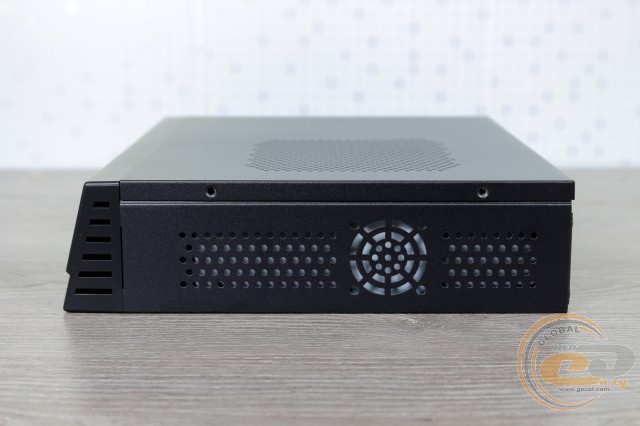
There is also perforation for expelling heated air on the side of the case. However, this will require a source with corresponding cutouts, which the included solution lacks. Therefore, the second mounting location for a 40-mm fan will not be effective. But in a vertical orientation, these perforations will become excellent vents.
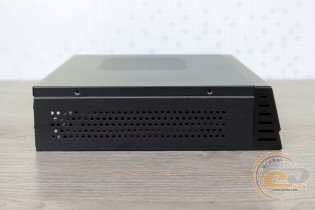
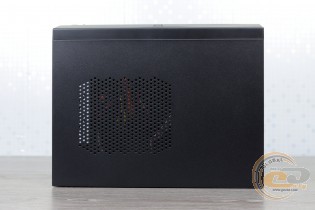
The second side and top panel are notable for their air circulation openings. For such a compact solution without installed fans, this is simply a necessity.
By the way, the black matte paint also adds practicality to the case, concealing fingerprints and allowing them to be easily removed.
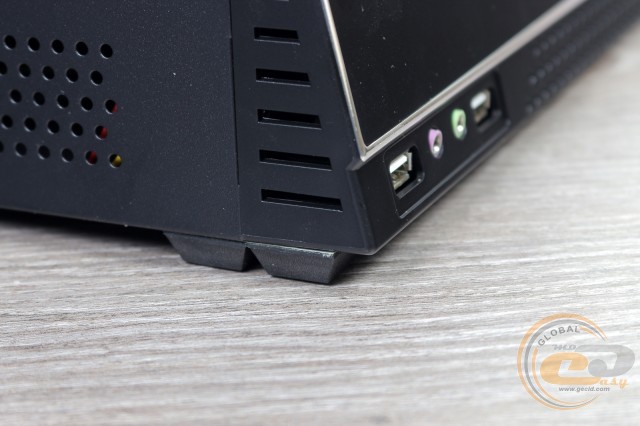
If you decide to install the system unit horizontally, don't forget to attach the included feet. This will prevent the power supply from suffocating and preserve the surface's appearance.
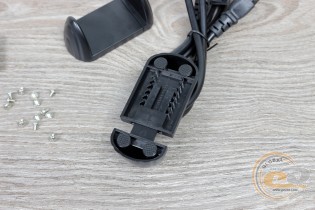
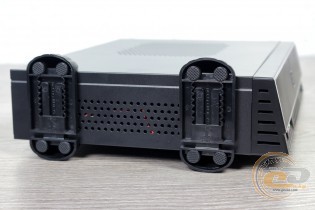
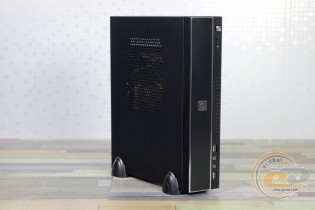
The vertical orientation provides the system with better air intake. To fix the case in this position, there are two sliding feet with rubber pads.
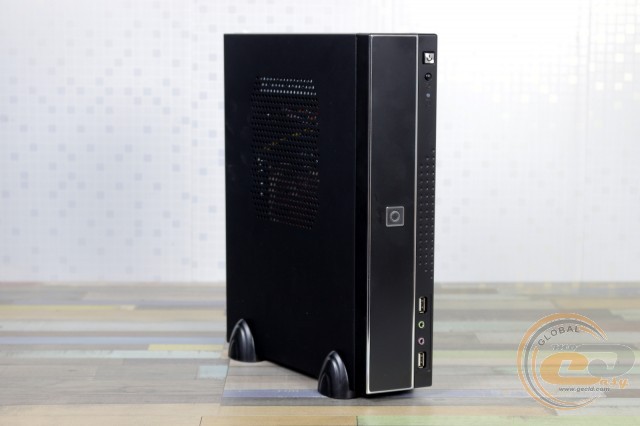
With them, the computer will occupy an area just slightly larger than 245 x 65 mm. Therefore, due to its size, Vinga CS401B is perfect for creating a compact home PC or organizing a workspace in limited space conditions.
Internal Structure
Unscrewing just one screw and sliding the top cover to the rear - these two steps are quite enough to access the insides of the novelty.
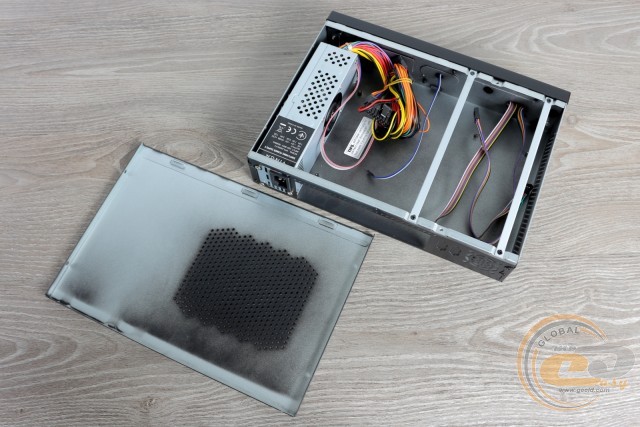
If the exterior of the Vinga CS401B is completely covered with black paint, the interior shows some cost-saving. It doesn't look the best - it makes you want to go to the market for a spray can.
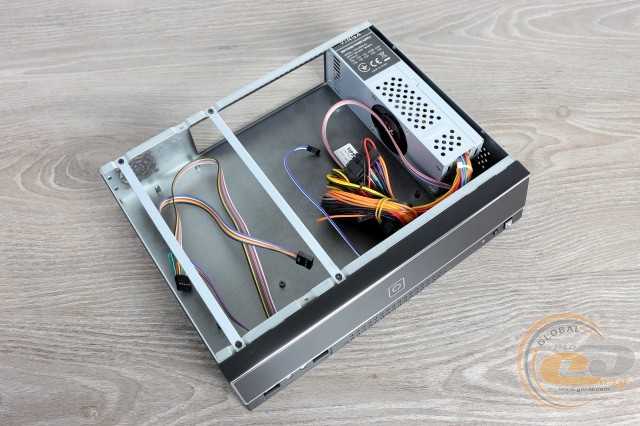
Since the case comes with a pre-installed power supply unit, we will start the internal review with it.
On the official website, the form factor of the Vinga VPS-200W-F4 power source is not specified, and this is not surprising. With dimensions of 190 x 60 x 55 mm, it is close to TFX format solutions (175 x 85 x 65.2), but the extra centimeters of the latter will clearly interfere with compatibility. Another compact form factor, 1U, implies a lower height (40 mm). Therefore, the included PSU is non-standard in size, which means it can only be replaced with a similar one. By the way, such a device costs $25 in retail, which is over 70% of the total cost of the case.
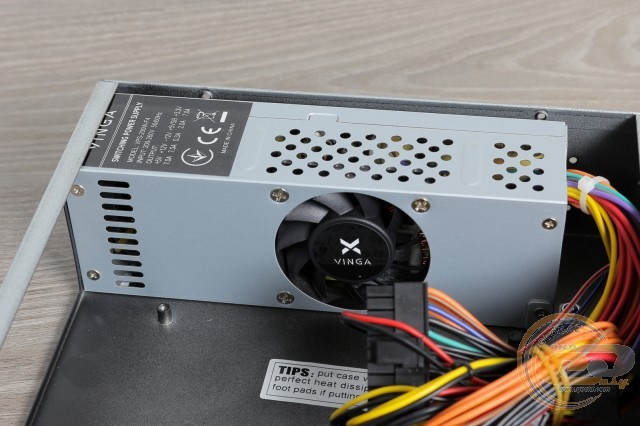
Now about its capabilities. Although the name includes the label "200W," and the manufacturer's website indicates the corresponding power, the information on the label does not confirm this. The most demanded +12V line provides only 7 A of current, which is 84 W of power. The smaller +5V and +3.3V channels provide 35V and 23W, respectively. So even in total, we only get 142W with equal load on each line. So connecting even an entry-level discrete graphics card is out of the question.
According to the label, the source can operate at an input voltage of 200 to 260 W. Cooling is provided by a 55-mm fan. Since a protective grille is not provided here, when assembling, make sure that nearby cables do not interfere with its rotation.
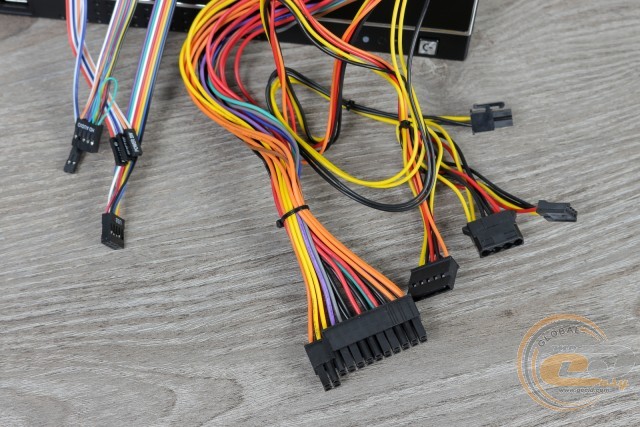
In such a budget solution, it is not surprising to see ordinary round wires - fortunately, they are of the usual 18 AWG gauge. There are not many connectors here - just right for this case.
|
Connector Types |
Quantity |
Wire length to connector(s), cm |
|
20+4-pin ATX |
1 |
30 |
|
4-pin ATX12V |
1 |
35 |
|
SATA + PATA + FDD |
1 |
40-55-75 |
The cable lengths for connecting the front panel are also quite sufficient for such a compact solution:
|
Name |
Length, cm |
|
USB 2.0 |
35 |
|
HD Audio |
35 |
|
Buttons and indicators |
30 |
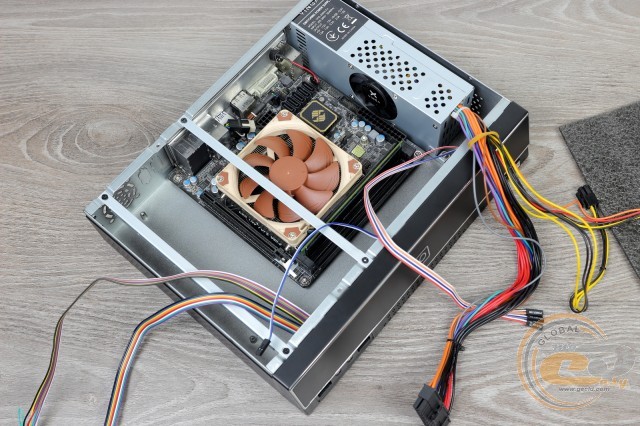
A major advantage of the Vinga CS401B is its support for microATX motherboards up to 200 mm wide. These dimensions are typical for budget solutions, which will look very appropriate in this case. If desired, more compact Mini-ITX models can also be installed here, although they are usually more expensive.
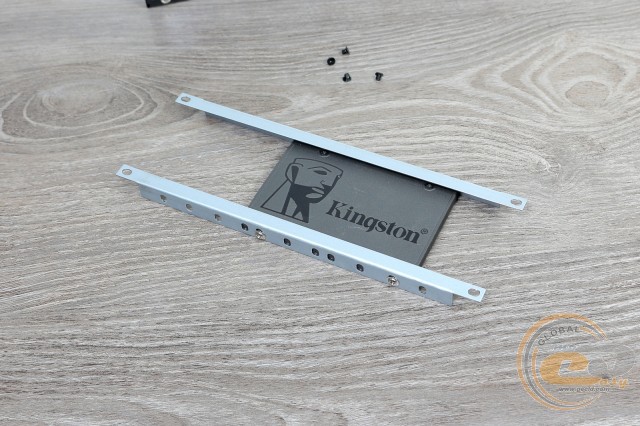
Is just one SATA and PATA connector from the power supply enough? Don't worry - it's enough, and there will still be some left. Inside such a compact case, there is room for only one 3.5" or 2.5" drive, which is mounted using two removable guides.
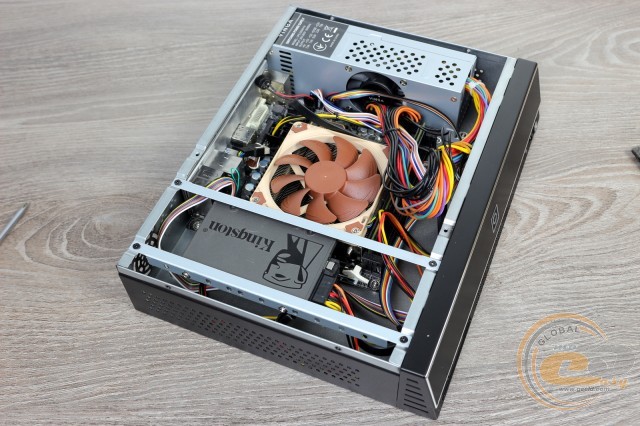
Therefore, it is not surprising that there are no usual expansion slots on the back wall - the drive simply won't allow them to be used. Given the modest capabilities of the disk subsystem, we recommend looking at motherboards with an M.2 Socket 3 connector. This will allow you to use two drives in the system or leave room for increasing the total capacity.
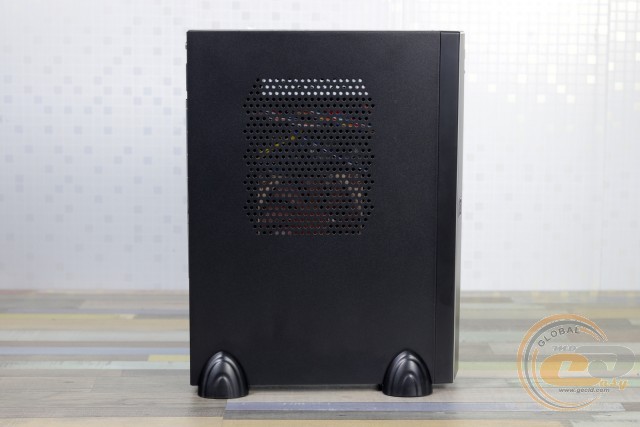
The perforation above the motherboard should have been made larger for better air intake by the CPU cooler - in our case, it was slightly obstructed. By the way, its height should not exceed 50 mm. And if a graphics card could still be squeezed in, its length could be 200 mm.
Despite the low price and the use of 0.7 mm steel, the case is quite sturdy. And we did not find any flaws related to build quality.
Testing
|
Processor |
Intel Core i7-4770K (Socket LGA1150, 3.5 GHz, L3 8 MB) Turbo Boost: enable |
|
Cooler |
Noctua NH-L9i |
|
Motherboard |
ECS Z97I-DRONE (Mini-ITX, Socket LGA1150) |
|
RAM |
1 x 4 GB DDR3-2400 TwinMOS TwiSTER 9DHCGN4B-HAWP |
|
SSD |
Kingston SA400S37/240G |
|
Power Supply |
VINGA WPS200W F4 |
|
Thermal Paste |
Noctua NT-H1 |
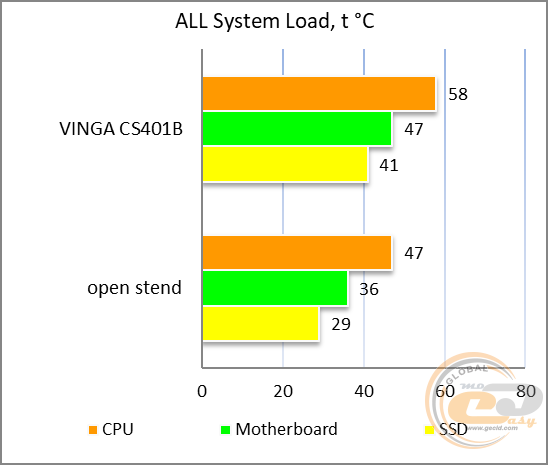
According to the wattmeter readings, the input load was 65 W. It was created using the Unigine Heaven graphics benchmark.
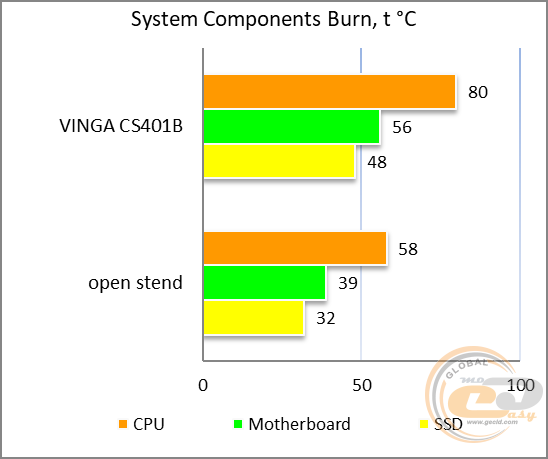
In the second test, the load increased to 90 W.
In both cases, the components were far from overheating. Considering the use of a 91-watt processor, this is very important. After all, models like AMD Athlon 200GE, AMD Ryzen 3 2200G, Intel Pentium G5400, and Intel Pentium G5500, which have more modest power consumption, will be installed here. And if the power supply managed with the Core i7, then the lower models will clearly be "a piece of cake" for it.
For SSD and HDD, heating up to 48°C is also quite acceptable - the operating range of modern drives is usually limited to 60-70°C.
Conclusions
If you want to build an inexpensive compact PC, the Vinga CS401B case will help with this. Firstly, compatibility with microATX format boards up to 200 mm wide allows for even the most budget-friendly solutions. Secondly, there is an already installed power supply, which, like the case itself, is designed for configurations with not the most powerful processor and completely without a video card. However, there will be no problems with a CPU like AMD Ryzen 3 2200G or Intel Pentium G5500 - this applies to both power and temperature indicators.
Of course, due to the small size, some limitations are unavoidable. For example, in the Vinga CS401B, it is impossible to use video cards or any other devices in the PCIe expansion slots. Also, only one 3.5" or 2.5" drive will fit inside, so don't skimp on a motherboard with an M.2 Socket 3 connector. As for the front interfaces, USB 2.0 is still used here. But the saddest thing we encountered is the use of a non-standard size power supply. This means that in case of failure, you will either have to craft something or buy a similar Vinga VPS-200W-F4 power source for $25. And its power is far from the declared 200 W, although it did manage with a system on Intel Core i7.
And what shortcomings and limitations are you personally willing to forgive in a case priced at just $35? We look forward to constructive (and not so much) comments under the review.
Advantages:
- practical and quite compact design with the possibility of horizontal and vertical orientation;
- good build quality of the chassis, edge processing of panels, and coloring;
- support for Mini-ITX and microATX motherboards (sizes up to 245 x 200 mm);
- installed PSU;
- decent temperature indicators of components under load;
- possibility to install one 3.5" or 2.5" drive;
- ease of system assembly.
Features:
- no USB 3.0 on the front panel.
Disadvantages:
- specific dimensions of the power supply with all the ensuing consequences.
Author: Oles Paholok
Translation: Liliya Masyuk