Our regular readers are already familiar with the Vinga brand. If you're hearing about it for the first time, then you should go here. Here, we will just remind you that both the budget-friendly Vinga Sain 1 and Vinga BlackGold, as well as the slightly more expensive Vinga Titan and Vinga Black Widow, left a pleasant impression on us. In fact, this quartet is just the tip of the iceberg of the range of cases offered under this brand.
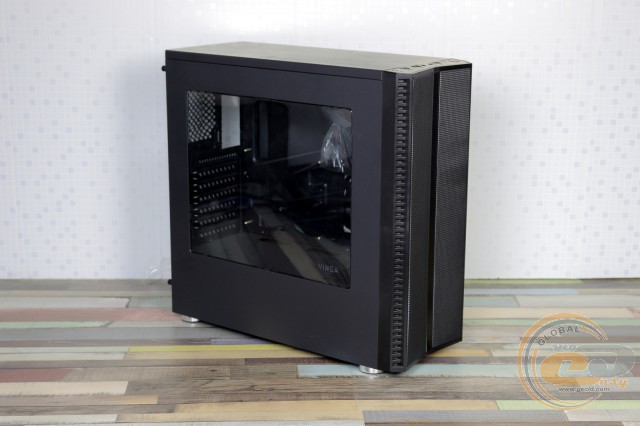
In the current review, we will talk about a rather unusual representative of the lineup with a modest price tag - the Vinga Jax-02/Black case.
Specification
|
Manufacturer and Model |
Vinga Jax-02/Black |
|||
|
Case Size |
Middle Tower |
|||
|
Support for Motherboard Form Factors |
ATX / microATX / Mini-ITX |
|||
|
Color |
Black |
|||
|
Bays |
External |
None |
||
|
Internal |
3 x 3.5” / 2.5” 2 x 2.5” |
|||
|
Expansion Card Slots |
7 |
|||
|
Maximum GPU Length (in brackets - own measurements) |
396 mm (395 mm) |
|||
|
Maximum CPU Cooler Height (in brackets - own measurements) |
159 mm (159 mm) |
|||
|
Connectors |
1 x USB 3.0 2 x USB 2.0 2 x Audio Ports |
|||
|
Fan Installation Capability |
Front Panel |
2 x 120-mm |
||
|
Rear Panel |
1 x 120-mm |
|||
|
On the Tunnel |
1 x 92-mm / 80-mm |
|||
|
Power Supply |
None |
|||
|
Materials |
Front Panel |
Plastic |
||
|
Chassis |
Steel thickness 0.58 − 0.6 mm |
|||
|
Sides |
Steel thickness 0.55 mm |
|||
|
Case Dimensions (in brackets - own measurements) |
450 x 433 x 193 mm (445 x 434 x 183 mm) |
|||
|
Weight |
4.2 kg |
|||
|
Manufacturer's Website |
||||
Packaging and Delivery Set
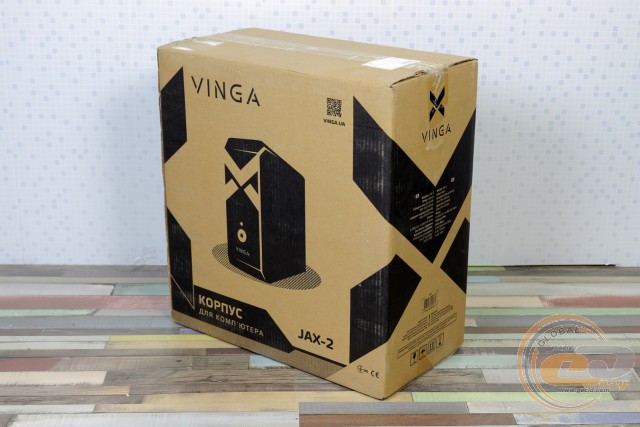
In front of us is packaging made of ordinary cardboard with a unified image - just what you need in this price segment. Carrying handles would certainly be helpful here, but no worries - tape will help.
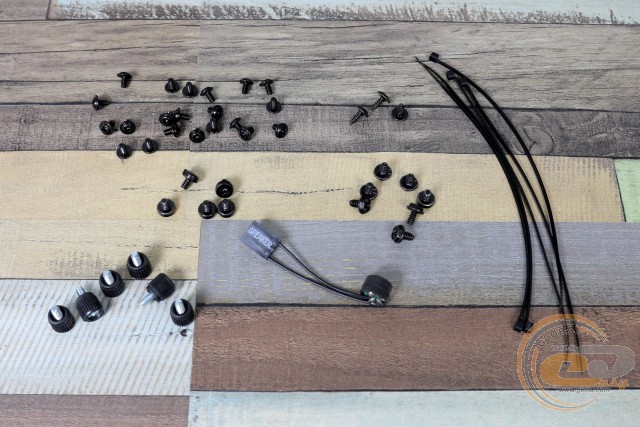
The delivery set includes the most necessary components, which also won't require overpaying:
- a set of screws and standoffs for motherboard installation;
- a set of screws for securing the power supply and drives;
- a system speaker;
- cable ties.
Appearance
The front panel of the Vinga Jax-02/Black looks very interesting and only remotely resembles a computer case element. Without bays, ports, and buttons, but with fine perforation on the sides. However, there are interfaces, but they are located on the top edge. Here, everything is familiar: one USB 3.0, a pair of USB 2.0, two 3.5-mm audio ports, power and reset buttons. And next to them is another truly magical button labeled "LED".
All the magic begins after pressing it, when the LEDs light up. And here it's not just a single RGB strip, but an entire front panel with six lighting modes:
- multicolored wave;
- music equalizer;
- another equalizer;
- changing color bands;
- passive glow color (selected with subsequent presses);
- automatic switching from one color to another.
Overall, beauty can't be described in words, see the photos. After demonstrating such an interesting front panel, we have to disappoint you: in all other respects, it's still an ordinary case that doesn't make coffee or add FPS... By the way, the next press allows you to turn off the lighting without having to open the case and disconnect the power.
There are no power and hard drive activity indicators here. As for the first, it's understandable - the entire panel replaces it, but the second is still useful for many users who haven't yet switched to SSD.
The rear panel is part of the chassis, so it is also painted black. Of interest here are the vertical slots for mounting a 120mm fan, allowing you to change its height. The bottom position of the PSU is also pleasing, while the disposable covers (except for the top one) clearly indicate the device's price range.
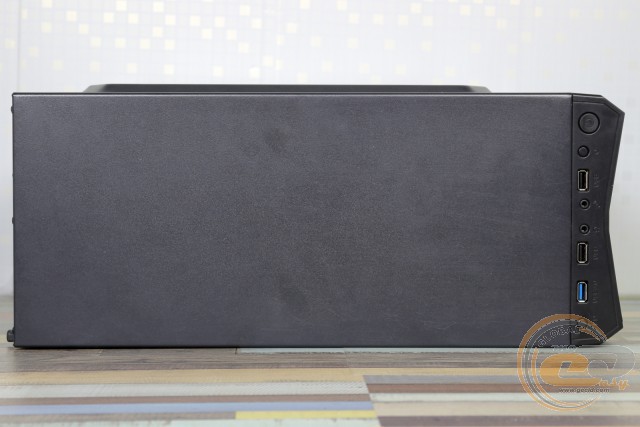
The top panel of the Vinga Jax-02/Black does not stand out with anything remarkable – the same practical matte finish without any perforations. You can place books and favorite gadgets on top without fear of anything getting inside.
A removable dust filter on the bottom panel covers a large perforation under the power supply. The decorative feet here are the same as in the Vinga BlackGold: only 12 mm high with a millimeter rubber pad. We wouldn't place the computer on a high-pile carpet.
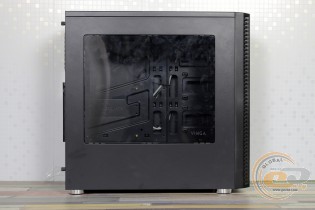
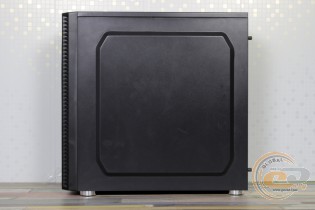
The side panels are made of 0.55mm steel. The stamping on the right one, as well as the usual ribs around the perimeter of both, provide proper rigidity.
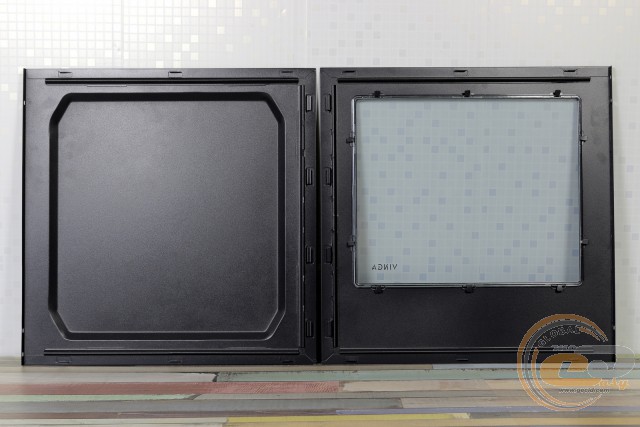
The left one boasts a large transparent acrylic window (316 x 265 mm). A small touch in its design is the "Vinga" inscription – modest yet tasteful.
The side panels are removed in the usual way – by sliding them to the rear of the case. Unfortunately, there are no cutouts in the rear panel for this, so performing this action will be a bit inconvenient. Especially removing the left one, with the window, which will most often be removed.
Internal Structure
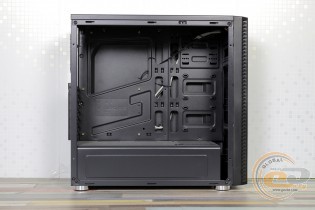
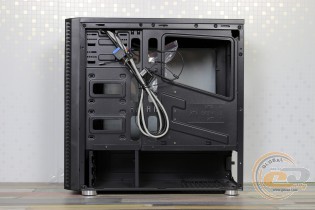
The tunnel at the bottom and the absence of a drive cage is the manufacturer's usual approach, not characteristic except for the most budget solutions. The Vinga Jax-02/Black case does not belong to the latter.
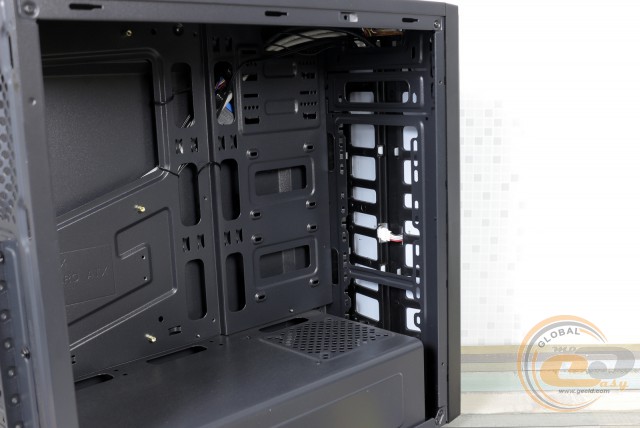
The chassis is clearly designed for a pair of 5.25" devices, as indicated by the presence of corresponding metal covers and mounting holes on the tray. However, the front panel will not allow them to be installed.
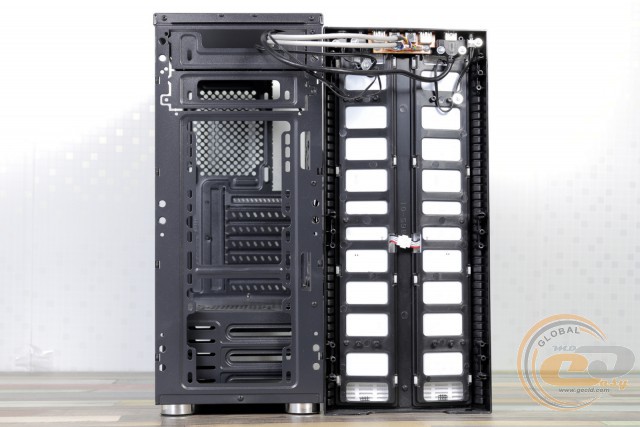
Below are the mounting points for two 120mm fans. The fans themselves are not included, so you can choose the solution in the quantity you need.
The lower fan will cool a maximum of three 3.5" drives secured in a non-removable cage. However, the installation of drives here is not done in the best way. Tool-free mounting is absent, so you will have to fix them using screws and a screwdriver. To access the holes, you will have to remove either the front panel or the PSU, or both.
For additional cooling of the drives, a 92 or 80 mm fan can be installed on the tunnel.
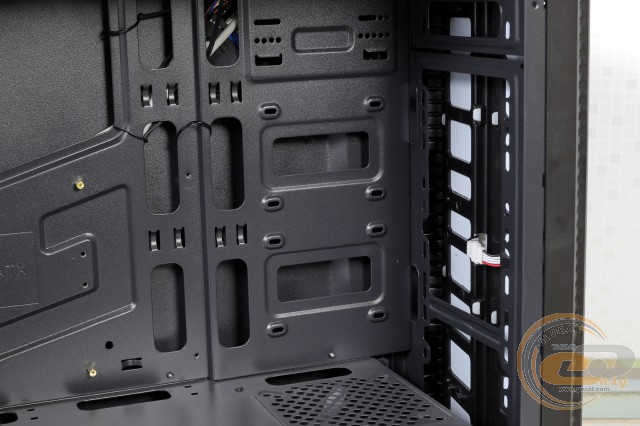
Exclusively for SSDs and compact hard drives, there are two mounting points on the case tray near the front panel. Their installation will not cause any difficulties.
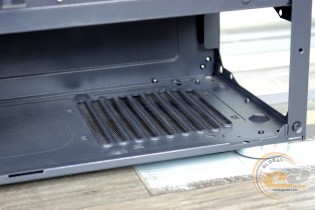
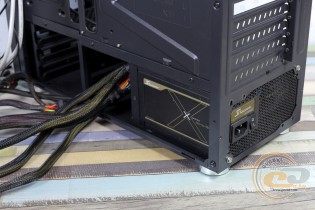
Unlike other cases from the manufacturer that we have tested, the Vinga Jax-02/Black drive cage is located closer to the front panel. Thanks to this, power supplies up to 210 mm in length can be used, and there is still 40 mm left for cable management. However, there are no anti-vibration pads here.
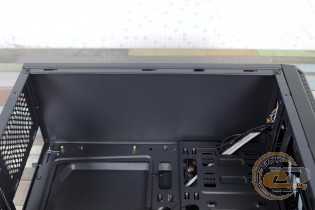
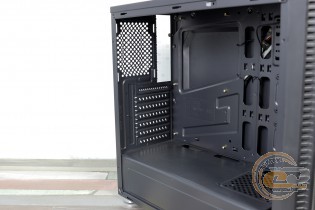
The top and rear panels are simplicity itself, perhaps, if you do not take into account the full black coloring.
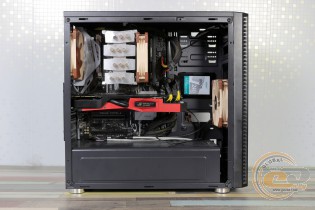
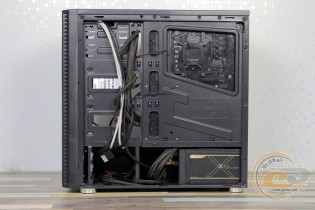
The assembly process is quite convenient, and difficulties may arise only with mounting the 3.5" drives. There is more than enough free space both inside and behind the tray. Therefore, neatly routing cables is not a problem, and the included ties will only help with this.
The quality of the fit of the parts is quite good, with no gaps, sharp edges, or vibrations during operation. Despite the use of thin metal (up to 0.6 mm including paint), the case does not flex or creak.
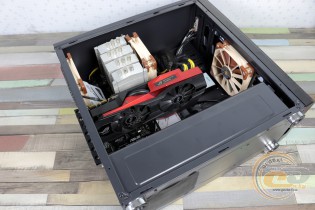
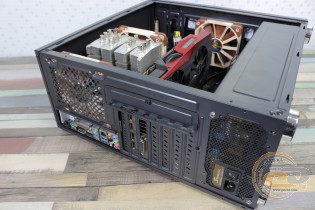
The ASUS ROG Matrix Platinum GTX 980 graphics card with a length of 309 mm is easily installed inside the Vinga Jax-02/Black, and there is still a large margin up to the maximum of 395 mm. When installing a front fan, the maximum allowable length of the video adapter is reduced to 370 mm. Simply put, it can accommodate the vast majority of models available on the market, even those based on top GPUs.
Large CPU coolers with a height of up to 159 mm can also find refuge inside the new product, as seen in the example of the 158 mm Scythe Mugen 3. At the same time, the side panel closes without any problems. Replacing the cooler will also not cause difficulties, as you will not have to dismantle the motherboard to install and remove the reinforcement plate.
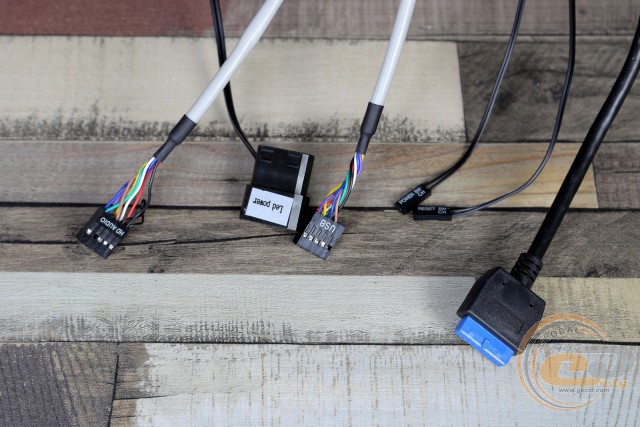
The cables from the front panel are long enough, and the corresponding holes in the tray allow them to be routed to the motherboard as inconspicuously as possible.
|
Name |
Length, cm |
|
USB 3.0 |
75 |
|
USB 2.0 |
65 |
|
HD Audio |
65 |
|
Buttons and Indicators |
70 |
|
PATA-LED |
40 |
Testing
|
Processor |
Intel Core i7-7700K (Socket LGA1151, 4.2 GHz, L3 8 MB) |
|
Cooler |
Scythe Mugen 3 |
|
Motherboard |
ASUS PRIME Z270-A (Socket LGA1151) |
|
RAM |
2 x 8 GB DDR4-2400 HyperX Fury HX424C15FBK2/16 |
|
Graphics Card |
ASUS GeForce GTX 980 MATRIX PLATINUM 4GB GDDR5 |
|
SSD |
SSD KINGMAX SME35 Xvalue |
|
Power Supply |
Seasonic X-560 Gold (SS-560KM Active PFC, ATX, 560W) |
|
Thermal Paste |
Noctua NT-H1 |
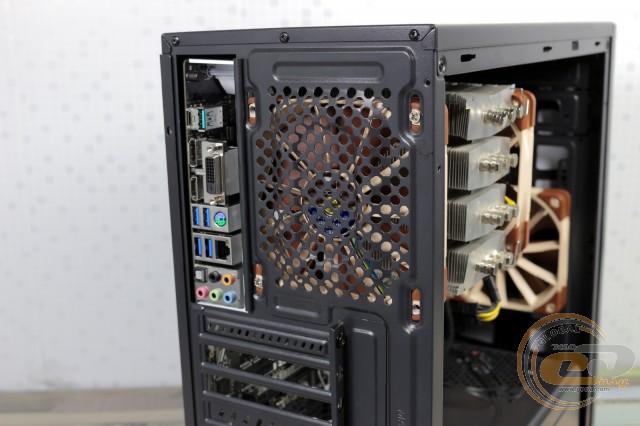
In addition to the test bench based on a full-size ATX board, we also installed a pair of Noctua NF-F12 PWM fans for intake and exhaust (1500 RPM) inside the Vinga Jax-02/Black. At the same time, the fan speed of the CPU cooler was 600-700 RPM.
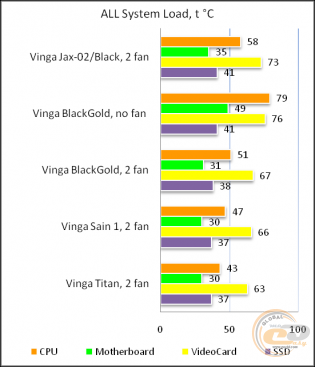
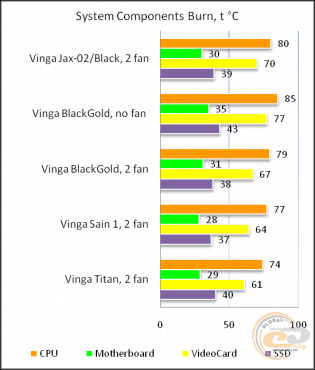
The "All System Load" chart shows the heating of components after 30 minutes of 3DMark Fire Strike in Ultra mode (4K resolution). The "System Component Burn" mode demonstrates temperatures under load with AIDA64 applications (Stress CPU and FPU) and MSI Kombustor for 15 minutes.
The solid front panel and lack of perforation on the top and/or side walls result in increased component temperatures. The indicators are, of course, not critical, but it is expected that the fans on the graphics card and CPU will spin faster than in cases with better ventilation capabilities.
Conclusions
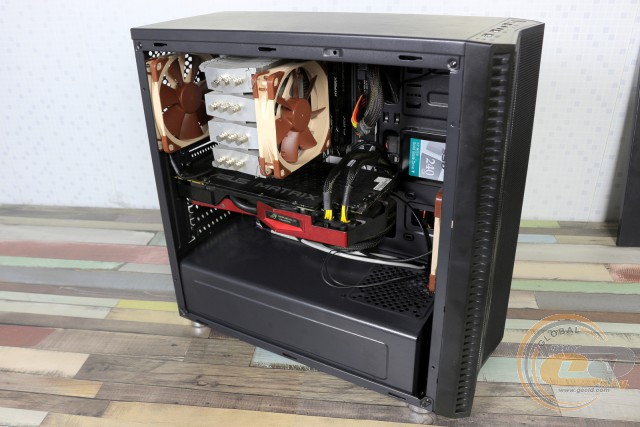
The Vinga Jax-02/Black case, priced at less than $45, is an inexpensive and extremely bright solution. Fans of original components with a small budget (or simply not wanting to spend much on this system component) should like the novelty. In addition to the lighting of the entire front panel, it also offers a large transparent side window, allowing you to admire the components during long winter (and not only) evenings.
In all other respects, this solution combines features of devices from different price segments. Thus, along with the bottom-mounted PSU, dust filter, a pair of SSD slots, full black paint, and the possibility of hidden cable management, you will also find a complete lack of anti-vibration pads, disposable expansion slot covers, and only one USB 3.0 port. Also, some inconvenience may be caused by the specific mounting of 3.5" devices, and there is no place to connect a 5.25" optical drive or fan controller.
However, we understand that potential buyers of the Vinga Jax-02/Black will NOT be upset by these or other minor shortcomings. The main role will be played by the combination of an affordable price and an impressive LED panel with lighting.
Advantages:
- practical matte finish;
- front LED panel with six lighting modes;
- large acrylic side window;
- good build quality;
- ability to install long 395-mm graphics cards and 159-mm CPU coolers;
- ability to install up to four fans;
- ability to install up to five drives;
- presence of a dust filter for the PSU, as well as soft feet;
- ample space for hidden cable management.
Features:
- lack of included fans;
- absence of 5.25" bays;
- lack of anti-vibration pads under the PSU;
- inconvenient installation of 3.5" devices.
Author: Oles Pakholoк
Translation: Yuriy Koval
We express our gratitude to BRAIN Computers, the official representative of Vinga, for providing the case for testing.
We express our gratitude to ASUS, Intel, Noctua, Sea Sonic Electronics, and the HyperX brand for providing equipment for the test bench.