Review and Testing of Vinga 041 Media Player: What Was Missing
We continue to explore media players available in the domestic market under the Vinga brand. Previously, we tested the Vinga 021 and Vinga 031 models, which for quite reasonable money allow you to turn your TV or monitor into a real "media combine" for watching 4K video, online broadcasting, internet surfing, and even gaming. This time we got our hands on the Vinga 041 (VMP-041-162) set-top box.
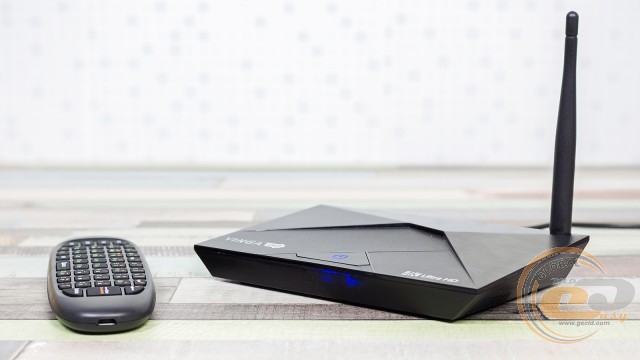
Like its predecessors, it is designed in the Android TV-box format and on paper has similar functionality. But its main feature is the use of the latest 8-core Amlogic S912 processor, which should positively affect the device's performance. Is this really the case? Let's find out!
Specification
|
Model |
Vinga 041 (VMP-041-162) |
|
Processor |
Amlogic S912 (4 x ARM Cortex-A53 @ 1.5 GHz + 4 x ARM Cortex-A53 @ 1 GHz) |
|
Graphics Adapter |
ARM Mali T820 MP3 (up to 750 MHz) |
|
RAM |
2 GB LPDDR3 (SK hynix H5TQ4G63AFR) |
|
Internal Memory |
16 GB eMMC (Toshiba THGBMBG7D2KBAIL) |
|
External Interfaces |
1 x micro-HDMI 2.0a 1 x micro-USB 2.0 (OTG) 2 x USB 2.0 1 x RJ45 2 x audio ports (S/PDIF and AV) 1 x power connector |
|
Card Reader |
SD / SDHC / SDXC / MMC |
|
Networking Capabilities |
Wi-Fi 802.11a/b/g/n (2.4 and 5 GHz) and Bluetooth 4.0 (AMPAK AP6330), Gigabit Ethernet (Realtek RTL8211E) |
|
Power Supply |
Input: 100~240 V AC at 50/60 Hz Output: 5 V DC, 3 A |
|
Color |
Black |
|
Dimensions |
155 x 95 x 21 mm |
|
Weight |
135 g |
|
Operating System |
Android 6.0.1 Marshmallow |
|
Warranty |
12 months |
|
Manufacturer's Website |
Supply and Package Contents
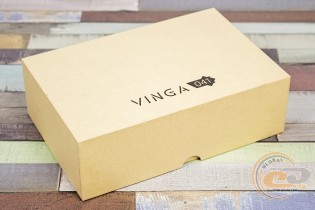
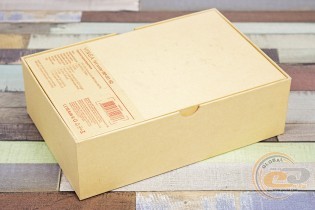
The lucky owner receives the Vinga 041 in a compact box made of dense cardboard. It doesn't boast bright printing, but you can find all the main characteristics of the device in the form of a sticker on the back.
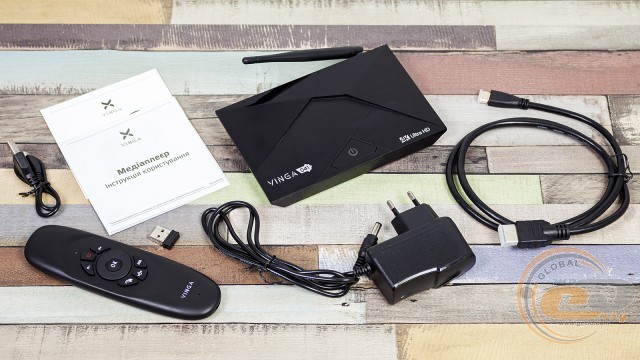
Inside, we found the following set of accessories:
- 1 m HDMI cable;
- remote control with USB receiver and charging cable;
- power supply with activity indicator (cable length 85 cm);
- user documentation.
Appearance and Element Placement
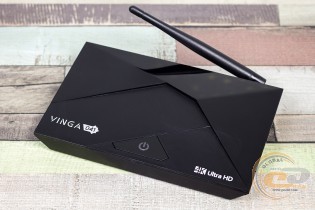
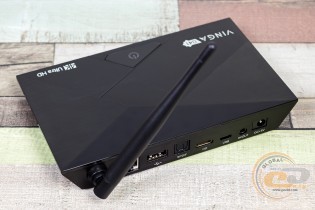
At first glance at the Vinga 041, you can understand that it is a "twin brother" of the Vinga 031: from dimensions and materials to the number and placement of input-output ports. The result is a small and lightweight box made of high-quality plastic with an attractive design.
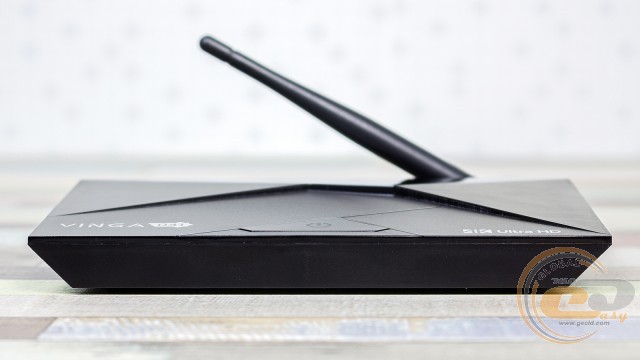
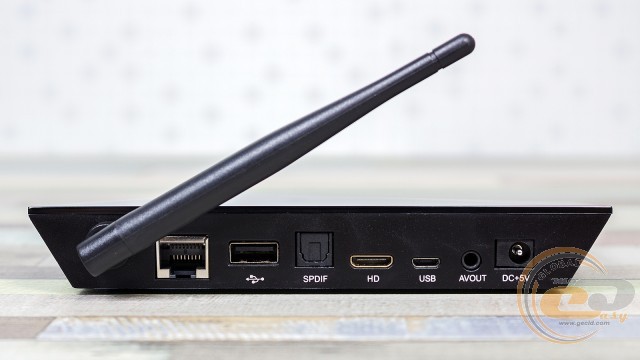
The front panel has no inscriptions or connectors – all of them are concentrated on the back. Here you will find the power connector, RJ45 network interface, USB 2.0 ports, S/PDIF, micro-HDMI, micro-USB 2.0 (OTG), and AV. Notably, there is a Wi-Fi antenna.
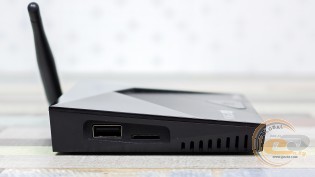
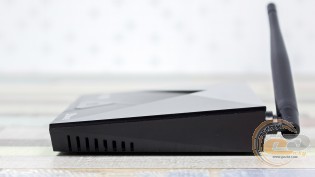
Additionally, on the side edges, you can find a card reader, another USB 2.0 port, and ventilation holes.
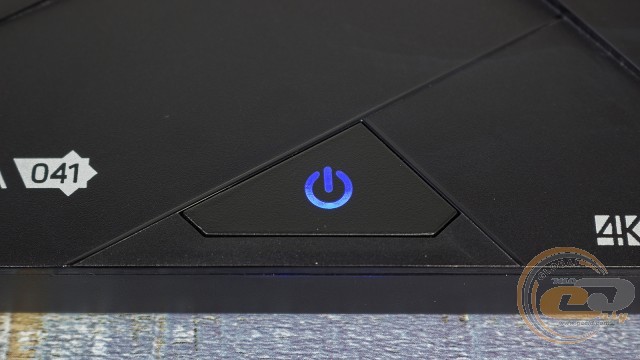
On the top panel, we see a shaped power button with an LED indicator that lights up red when the media player is off and blue when it is on.
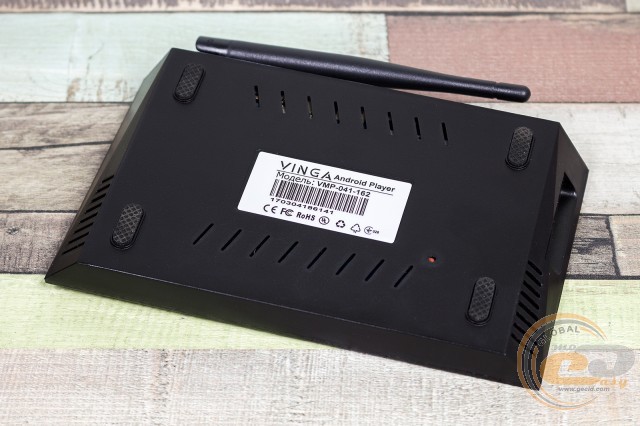
The base of the Vinga 041 has four large rubber feet, a series of ventilation holes, and a sticker with technical information.
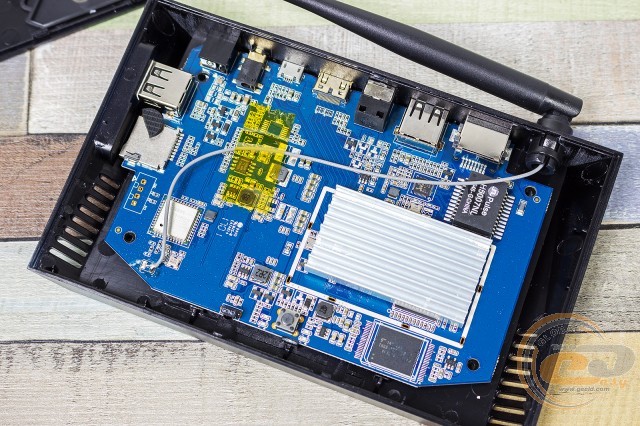
The bottom panel is quite easy to remove and allows access to the media player's hardware platform.
The system board is made on blue textolite and has a fairly high density of component placement, among which the following should be highlighted:
- Amlogic S912 processor, covered with a heatsink for effective cooling;
- AMPAK AP6330 adapter for implementing wireless interfaces: dual-band Wi-Fi 802.11b/g/n (2.4 and 5 GHz) and Bluetooth 4.0;
- eMMC storage Toshiba THGBMBG7D2KBAIL;
- two LPDDR3 SK hynix H5TQ4G63AFR memory chips with a total volume of 2 GB;
- Gigabit network controller Realtek RTL8211E;
- network filter PULSE H5007NL.
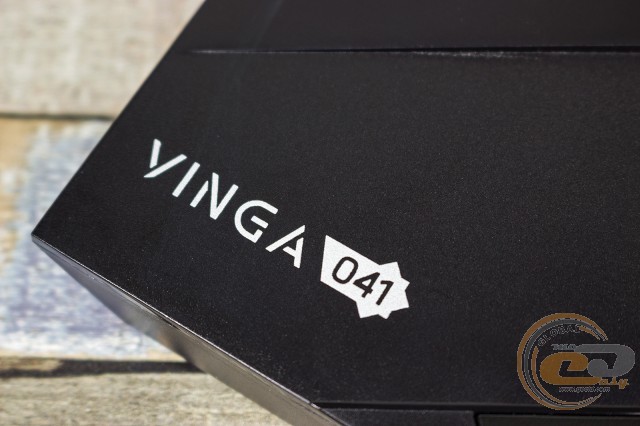
The Vinga 041 case is characterized by quality assembly and sufficient rigidity.
Player Connection, Control
The connection process is very simple and understandable even for a child: just connect the power and HDMI cable. The media player's power on/off is done via a button on the body. However, it is worth noting that the wires themselves are quite short. Network access can be obtained via Ethernet or Wi-Fi.
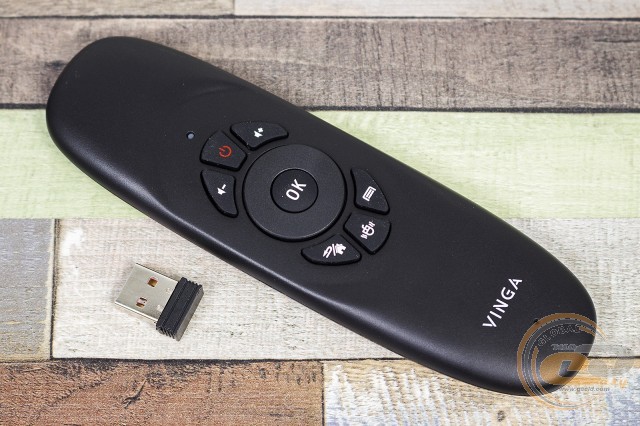
It is pleasant to note that all the media players we tested under the Vinga brand, including the hero of our review, come with a very functional remote control. As a rule, most inexpensive TV boxes are satisfied with simple remotes for performing basic functions. And to get more features and comfort during operation, you have to spend extra on such expensive devices. But here it is already included in the package and can replace several accessories at once: a remote, a keyboard, and an air mouse. Connection is made via a wireless channel using the included USB receiver, and the power source is a built-in battery (a charging cable is included in the package). A few words about each component.
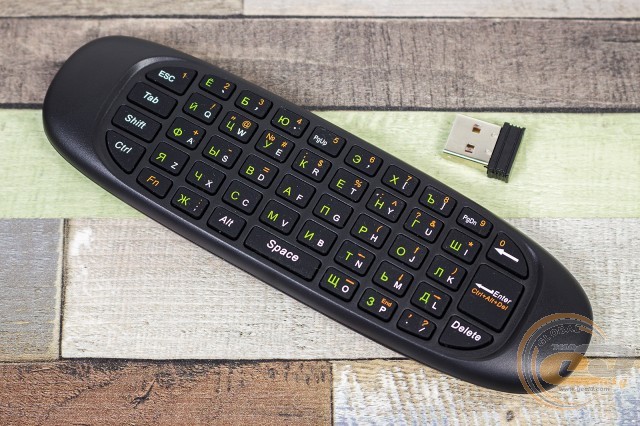
For text input, the device is equipped with a Qwerty keyboard, which is much better than the virtual counterpart. The keys are quite compact, but the distance between them is quite sufficient for convenient typing. The symbols are printed with color separation for the main and function buttons. There is also a Cyrillic layout, which can also be considered a plus. Overall, the keyboard is quite convenient, but it will take some time to get used to it and master the control features. For example, holding the [Back/Home] key for a long time returns to the home screen (the running program does not close, but remains in the background for quick access).
Thanks to the internal sensors, mouse functions can be emulated, which in some cases significantly simplifies the user's life. Especially when the program was optimized for touch control and does not "understand" button actions. Probably, the air mouse is the main and most convenient tool for interacting with the media player: whether it's surfing the internet or simple games. Interestingly, cursor control is only possible when the keyboard is on the bottom.
Hardware Platform and Functionality
Perhaps the most interesting thing about the Vinga 041 is the use of the most productive CPU for media players in Amlogic's arsenal. We are talking about the 28nm 64-bit SoC processor Amlogic S912. It consists of two clusters of 4 ARM Cortex-A53 cores each. However, in the first case, they operate at a frequency of 1.5 GHz, while in the second, this indicator is limited to 1 GHz. Graphics are handled by the ARM Mali T820 MP3 with a clock speed of 750 MHz and support for OpenGL ES 3.1, OpenVG 1.2, and DirectX 11. The RAM is 2 GB, and the internal storage is 16 GB (about 12 GB is available to the user). The media player easily recognizes external drives connected to it, whether it's a regular flash drive, memory card, or external hard drive. The platform supports many modern codecs, including H.265, and allows playing video with 4K resolution. In addition, there is support for HDMI and hardware decoding of multichannel sound. It is also worth noting the appearance of HDR Dolby Vision support in this chip, which, with a compatible TV or display, provides better image quality.
Unlike its predecessors, the set-top box received an updated version of the operating system, which is Android 6.0.1 Marshmallow. However, this is barely noticeable as it is masked by a proprietary shell. The functionality remained at the same high level, although the same applies to minor shortcomings in the Ukrainian localization. However, in everyday use, you simply stop paying attention to it.
Right out of the box, there is a set of the most popular online broadcasting services: Divan.TV, OLL.TV, MEGOGO.NET, Ланет.TV, and applications for IP-TV. The same applies to popular video players, including MX Player. For audio, there is only a basic AOSP application, so to expand the possibilities, it is worth installing additional players.
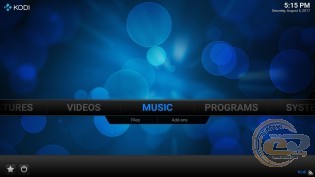
There is also the popular multimedia shell KODI (XBMC). So there is plenty of room to explore, and this pleasantly distinguishes Vinga TV boxes from other Chinese OEM solutions, which in many cases require self-reflashing or adjustment to our realities. But it is worth remembering that all the mentioned services at least require registration and authorization, and to expand the possibilities and access the entire library, you need to arrange a paid subscription.
If desired, you can easily install any applications from the Play Market or directly from APK files, providing access to all your favorite video resources, including torrents, programs, and services. And all this without any additional manipulations.
The settings menu is convenient. It is adapted for TV and contains everything you need, and if desired, you can switch to classic mode.
Testing confirmed that the Vinga 041 is significantly faster than Vinga 021 and Vinga 031. For clarity, you can compare the results in the popular AnTuTu benchmark, where we have the following scores: 41354 versus 33305 and 27034, respectively. Of course, if you draw parallels with modern smartphones, this is a budget level. However, the performance is sufficient for adequate operation of the shell. Yes, some applications may lag or crash, but these are more software-related issues. As for games, you can comfortably play Asphalt: Xtreme on medium graphics settings, but an additional gamepad is necessary.
Video and music playback is also fine. It is pleasing to have hardware decoding support for HEVC, which is not available on the Rockchip RK3068. For practical verification, we launched several videos from an external hard drive:
- MPEG4 Video (H.264); 2048 x 858; 23.976 FPS; 20.1 Mbps; *mkv – no problem;
- MPEG4 Video (H.264); 1920 x 1080; 29.97 FPS; 55.3 Mbps; *mkv – no problem;
- MPEG4 Video (H.264); 1920 x 1080; 59.94 FPS; 50.5 Mbps; *mkv – no problem;
- HVC1 (HEVC, 10 Bit); 3840 x 2160; 29.97 FPS; 139.4 Mbps; *mkv – no problem;
- HVC1 (HEVC); 1920 x 816; 23.976 FPS; 7.5 Mbps; *mp4 – no problem;
- MPEG4 Video (H.264); 3840 x 2160; 59.94 FPS; 47.05 Mbps; *mkv – plays, but with stutters.
Notably, many available set-top boxes simply do not recognize or "freeze" when connecting hard drives due to insufficient power. But here everything is fine, allowing you to watch heavy content without any problems.
For some unknown reason, the YouTube app only allows selecting a maximum resolution of 1080p. But it works without any complaints.
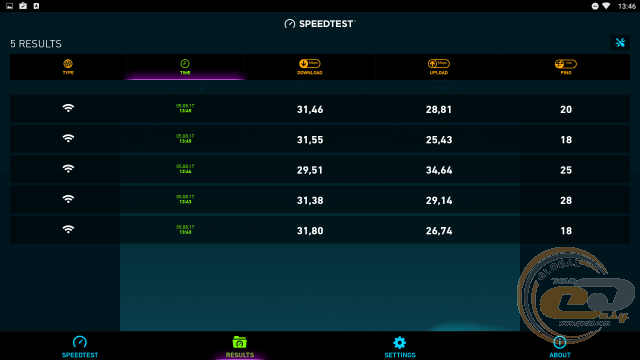
The Wi-Fi data transfer speed reaches almost 32 Mbps for reception and 35 Mbps for transmission when the router is located through a chipboard wall, a cabinet, and a PC system unit. This should be sufficient for most online resources. Otherwise, you can always connect an Ethernet cable to the set-top box.
During prolonged load, the Vinga 041 case noticeably heats up, especially on the base side, although no stability issues are observed. Meanwhile, the power supply unit only becomes warm.
Conclusions
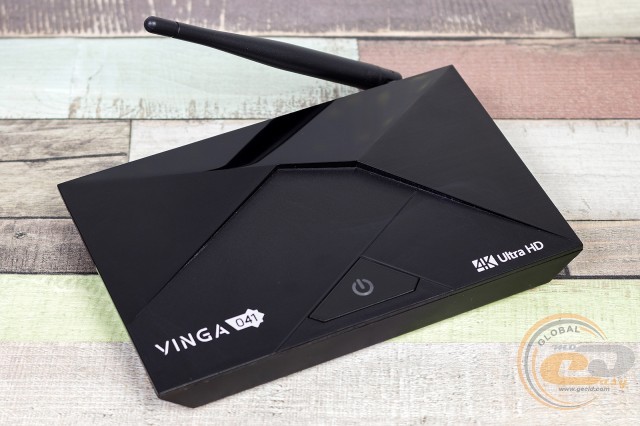
Vinga 041 (VMP-041-162) can be called an upgraded version of the Vinga 031 model. Thanks to the use of the 8-core Amlogic S912 processor, the device's performance has been significantly improved. The resources are now sufficient not only for performing basic functions (video playback, web surfing, etc.) but even for playing games. However, in projects where multitouch is actively used, a special gamepad is definitely required.
In other aspects, it is a well-known media player with an attractive design, featuring all the necessary ports and communications for connecting any displays, storage devices, or internet sources. Thanks to the improved power scheme, we have the ability to use external hard drives without any problems.
As with previously tested models from Vinga, right out of the box, the user gets decent localization and readiness to work with the most popular online streaming services, pre-installed players, and even the KODI multimedia shell. Simply put, it's enough to turn it on and start fully working with the gadget, without any "dancing with tambourines." If desired, you can always install any other software from the Play Market or using APK files.
The included remote control has not gone anywhere, which can perform not only basic functions but also easily replace a keyboard and air mouse. Typically, such accessories have to be purchased separately, and they are not cheap.
Overall, if you are looking for an Android TV set-top box with modern hardware, good multimedia capabilities, and a pleasant price tag, then the Vinga 041 (VMP-041-162) fits this description perfectly. If desired, you can find cheaper alternatives from third-party manufacturers. However, the model from Vinga is already configured for our realities, and you also get a power supply unit with increased current strength, a functional remote control, official warranty, and service support.
Advantages:
- pleasant appearance;
- presence of an external Wi-Fi antenna;
- availability of the necessary set of network modules and input-output ports;
- ability to connect external hard drives;
- support for popular formats and codecs;
- sufficient performance for playing 4K video and even some games;
- functional OS Android 6.0.1 Marshmallow shell with decent localization;
- pre-installed popular online streaming services for our region;
- KODI multimedia shell;
- convenient and functional remote control with a localized Qwerty keyboard.
Features:
- short HDMI cable and power cord included;
- glossy plastic in the construction.
Disadvantages:
- occasional freezes and crashes of individual applications.
Author: Victor Yefimenko
Translation: Yuriy Koval
We express our gratitude to BRAIN Computers, the official representative of Vinga, for providing the media player for testing.