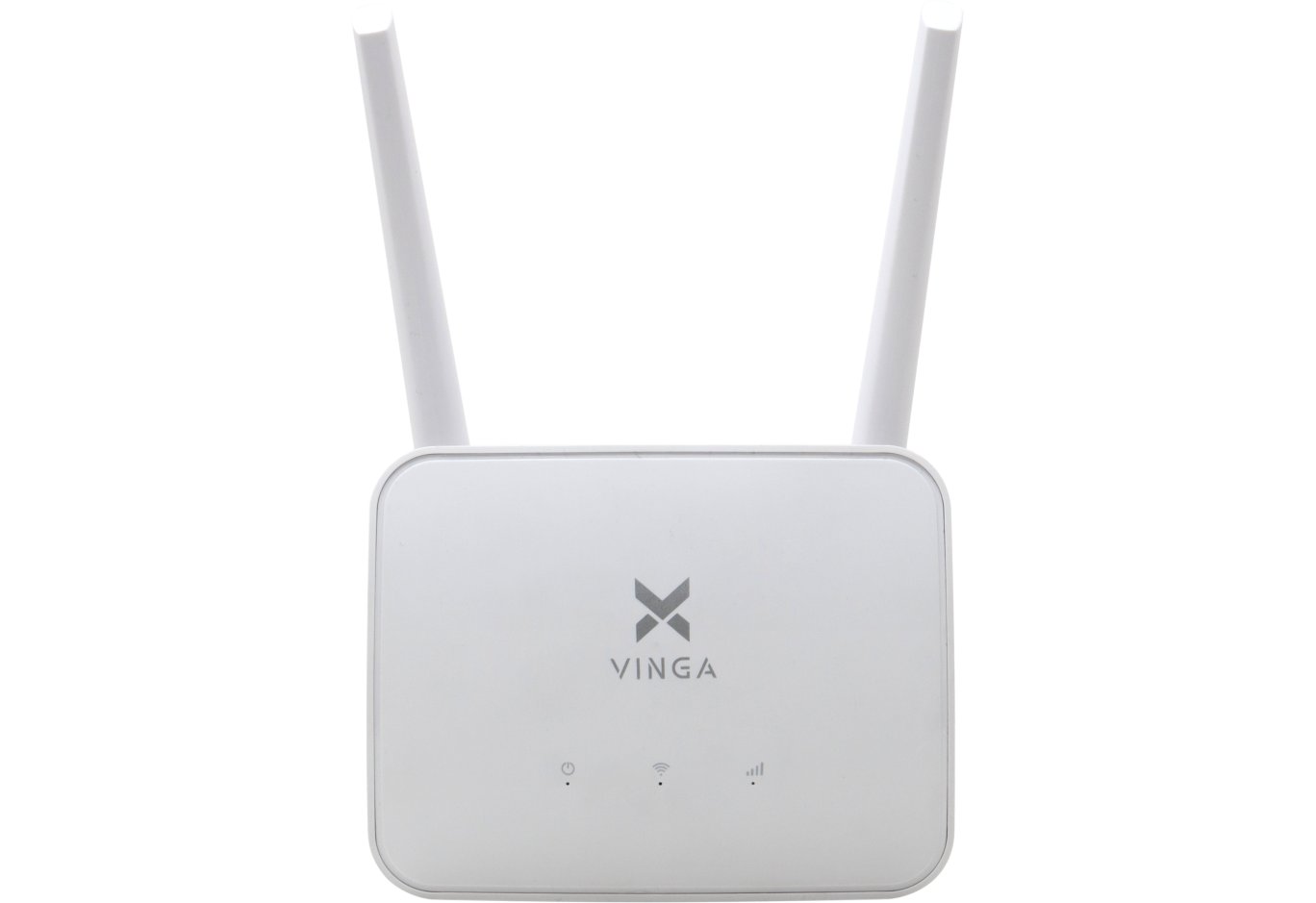





Router Vinga WR-AC1200 Long Range (WR-AC1200-LR)
Consistently high sales of smartphones, as well as frequent use of tablets and laptops of various form factors, increase the need for wireless routers. Moreover, there has been a steady shift in demand towards solutions with higher bandwidth. That is, instead of the N150 class in the budget segment, N300 or N450 is now targeted, and instead of AC750, AC1200 is chosen, etc.

All this increases the volume of the communication equipment market and leads to the entry of new players who strive to take a piece of the pie. As a result, competition intensifies, which we, as end consumers, are incredibly happy about. After all, this allows us to get a product with higher functionality at a more affordable price. For example, if AC1200 class models from well-known manufacturers cost approximately from 1000 UAH ($37) in the domestic market, then Vinga WR-AC1200 will cost you 899 UAH ($33). We will discuss the strengths and weaknesses of this router in this review.
Specification
|
Model |
Vinga WR-AC1200 (WR-AC1200-LR) |
|
|
Type |
Wireless router |
|
|
Device class |
AC1200 |
|
|
Wireless standards |
IEEE 802.11a/b/g/n/ac |
|
|
Frequency band support |
2.4 / 5 GHz |
|
|
Maximum bandwidth |
2.4 GHz |
up to 300 Mbps |
|
5 GHz |
up to 867 Mbps |
|
|
Antennas |
4 x external non-removable |
|
|
Antenna power |
5 dBi |
|
|
Key controllers |
MediaTek MT7628N + MediaTek MT7612E |
|
|
RAM, MB |
64 |
|
|
Flash memory, MB |
4 |
|
|
External interfaces |
4 x RJ45 (LAN, 10/100 Mbps) |
|
|
Wireless network security |
64 / 128-bit WEP, WPA / WPA2 |
|
|
Operating modes |
Router, access point, signal repeater, wireless bridge |
|
|
Built-in firewall |
Yes |
|
|
Dimensions |
194 x 140 x 40 mm |
|
|
Weight |
310 g |
|
|
Manufacturer's website |
||
|
Device page |
||
|
Purchase page |
||
Packaging and delivery set


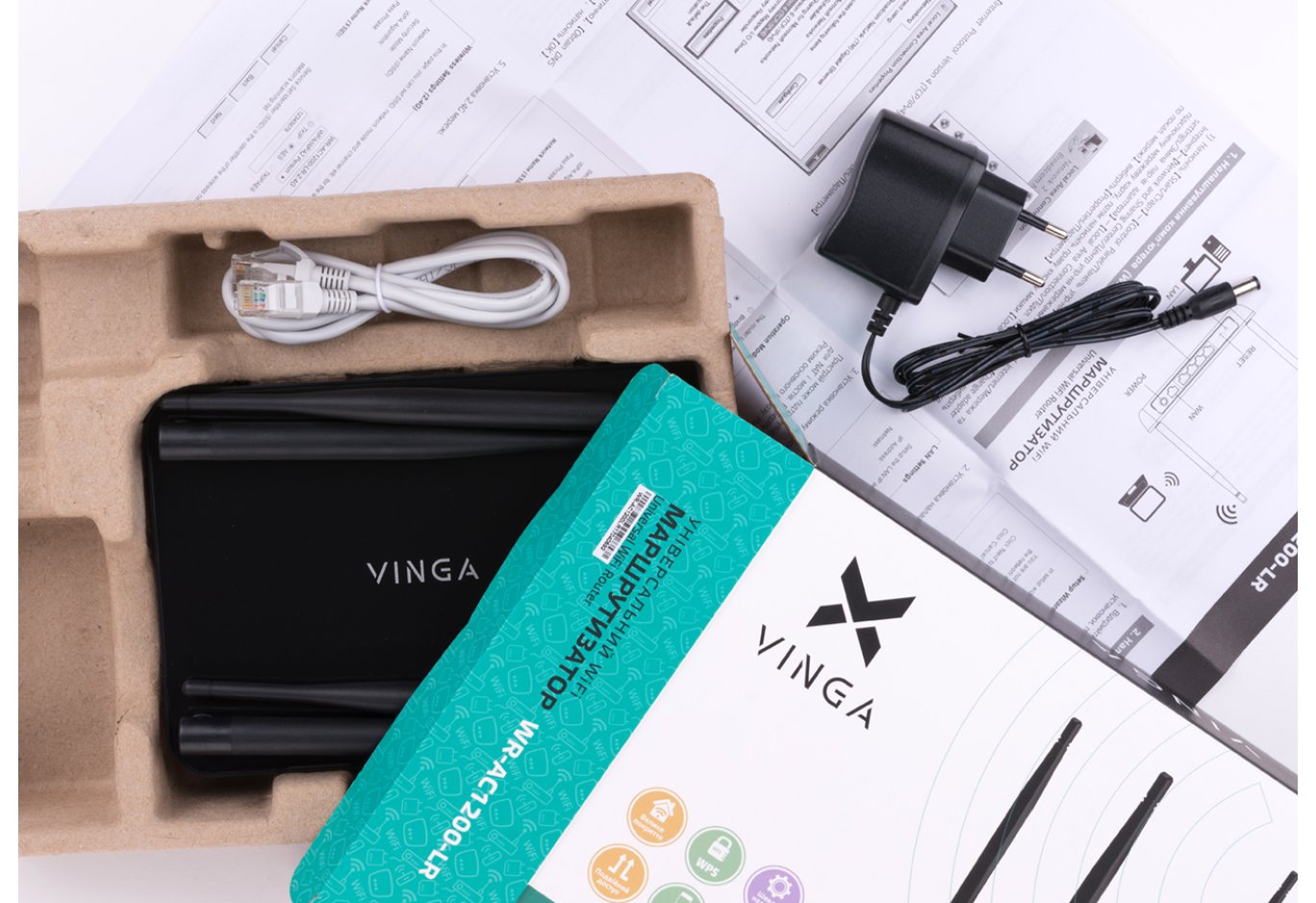
The box of the Vinga WR-AC1200 router creates a pleasant first impression of the product: it uses attractive design and provides extensive information about the product itself. For example, not only speed indicators and standard support are indicated, but also the controllers used, the amount of RAM and flash memory, etc.

The delivery set includes a user manual, an external power supply JWP-P0908E (input: 100 – 240 V at 50/60 Hz, output: 9 V at 0.8 A) and an Ethernet cable.
Appearance and hardware platform

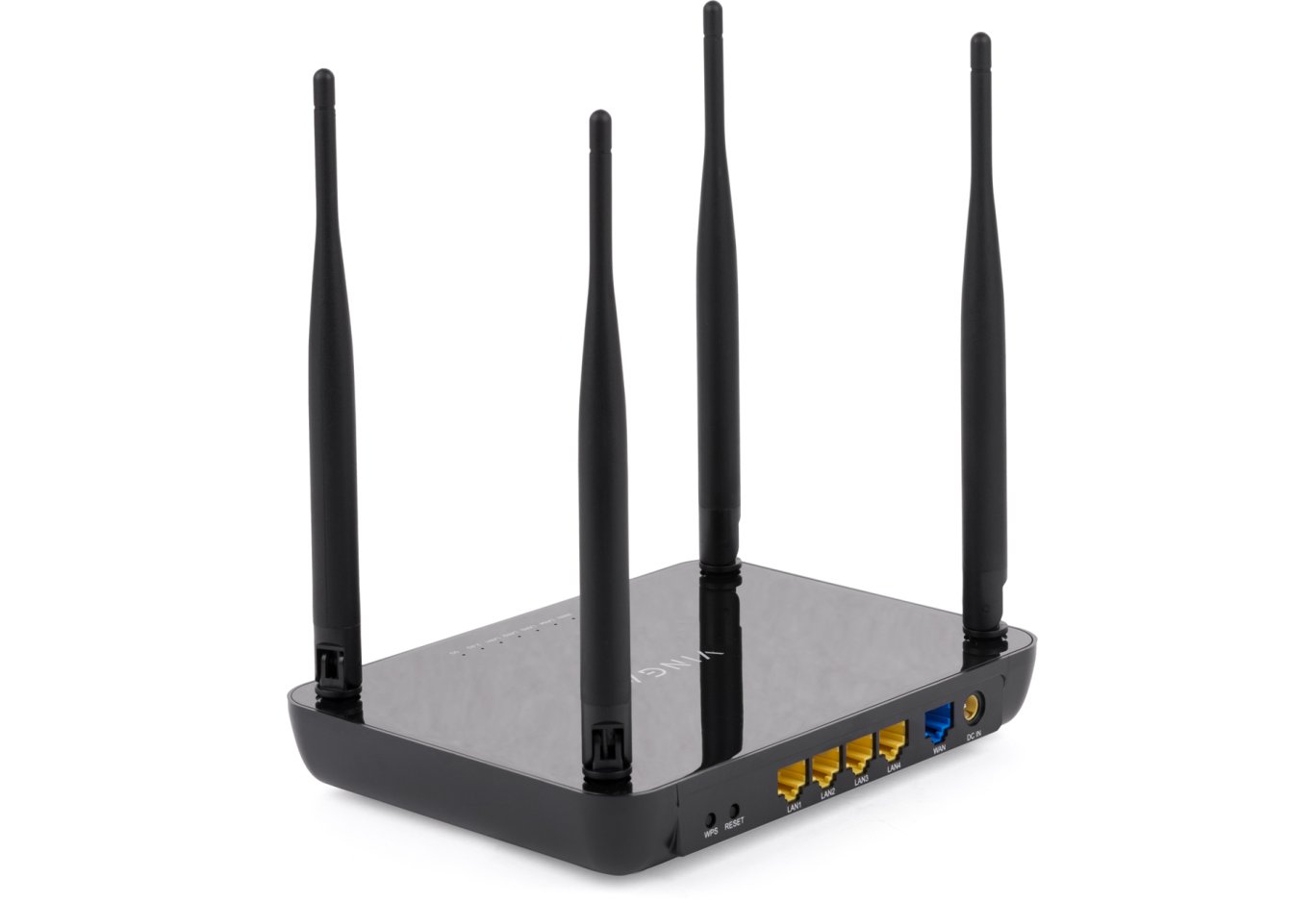
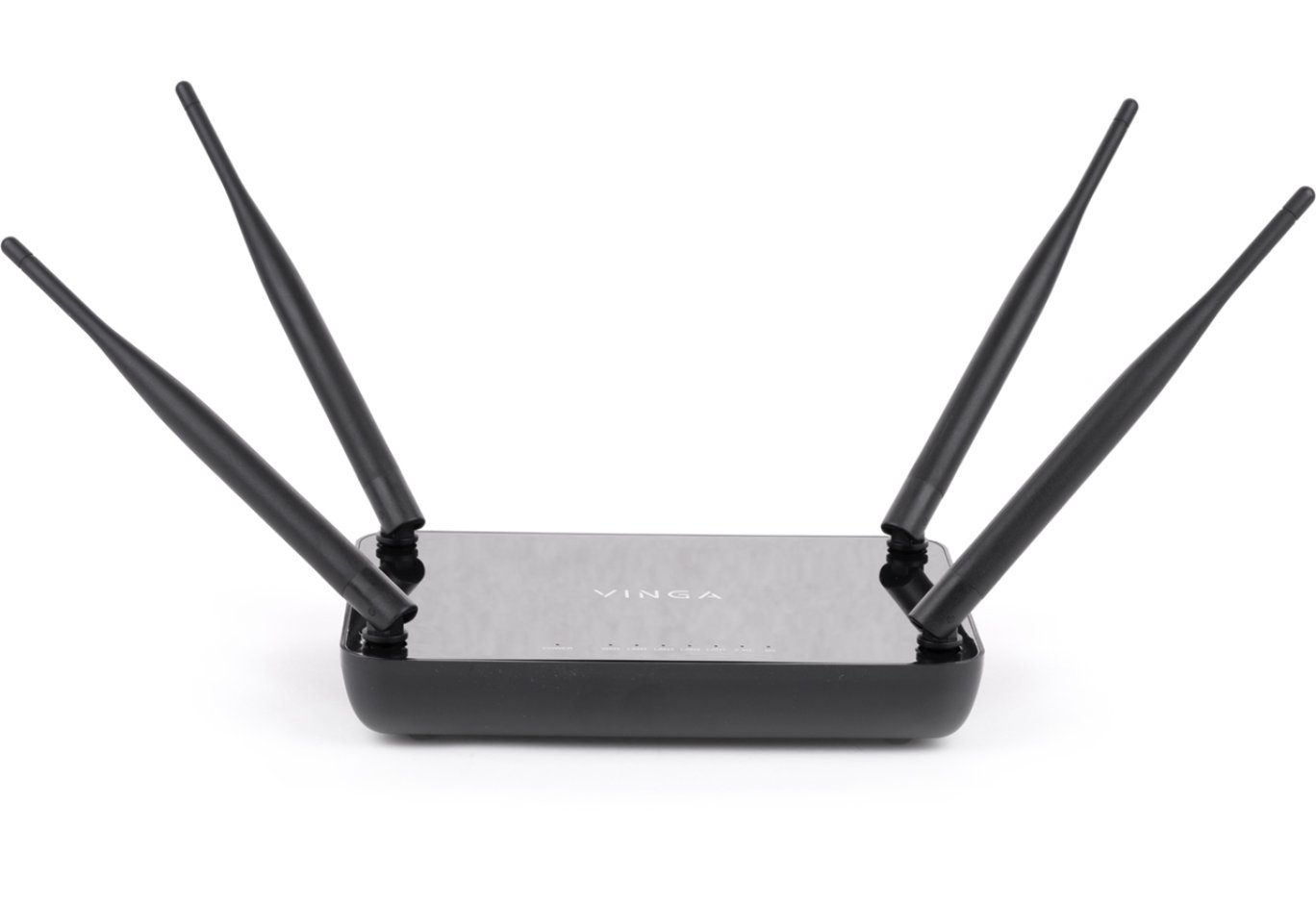
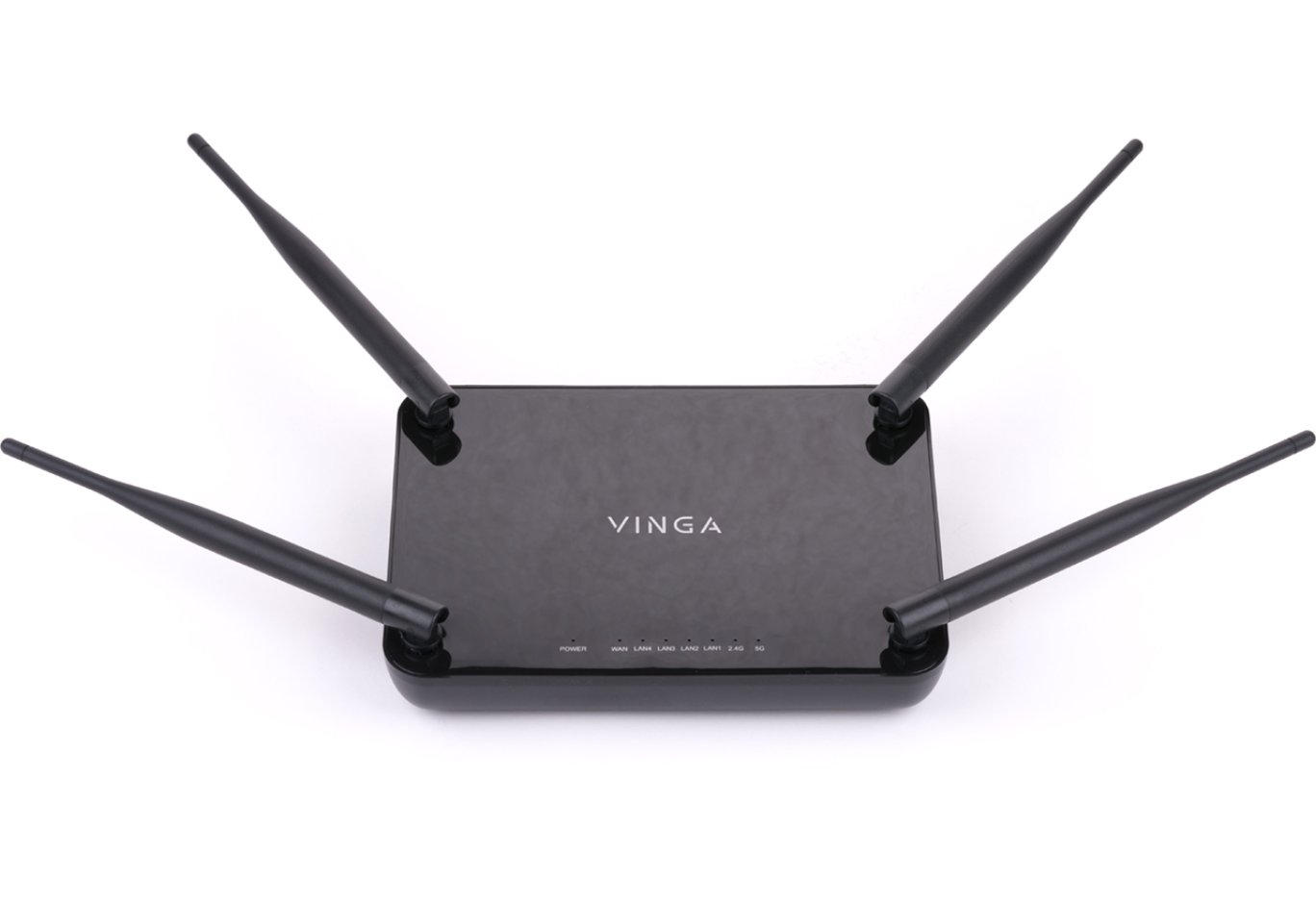
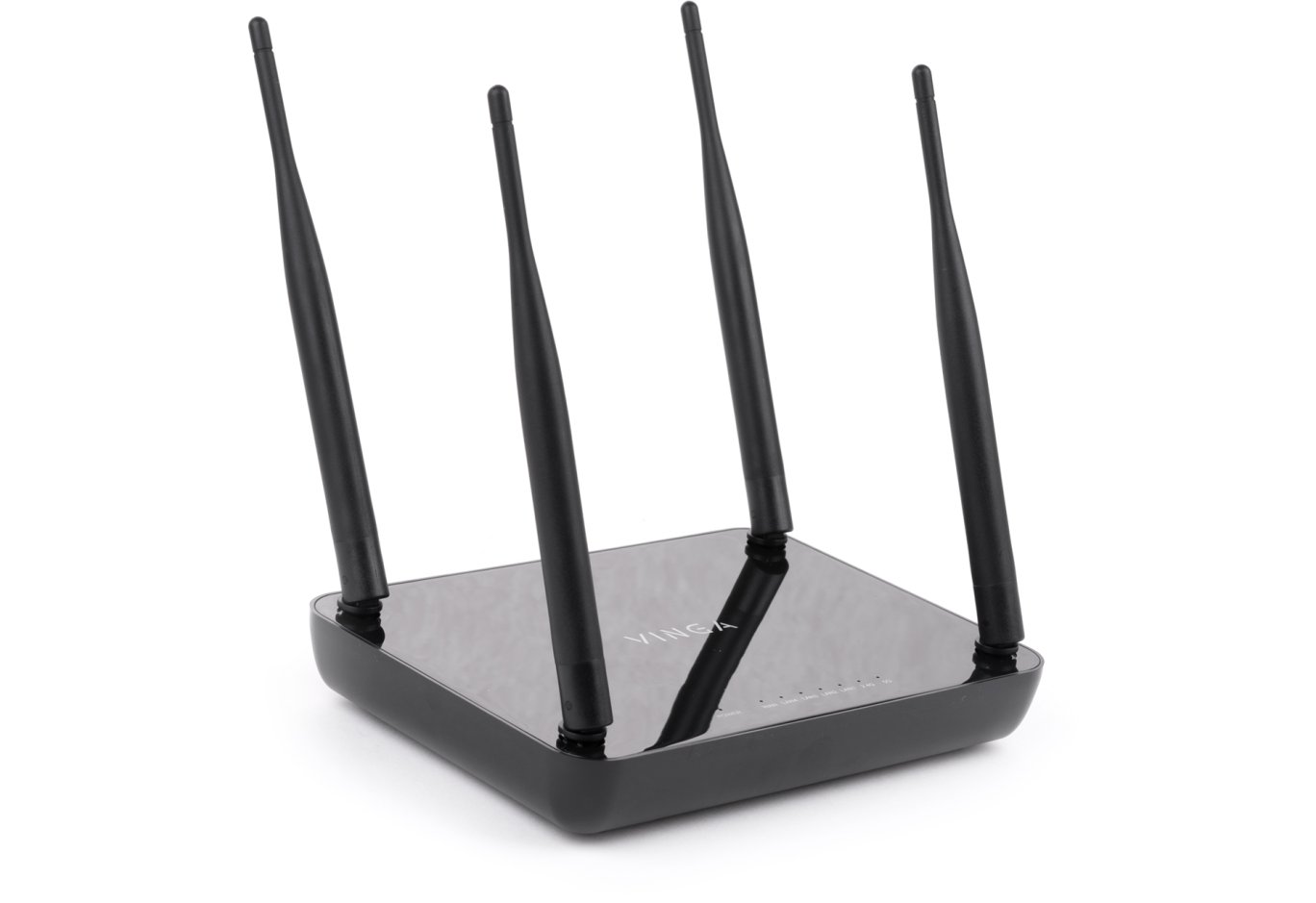
The Vinga WR-AC1200 looks quite simple and unassuming: the top cover is made of glossy plastic, which perfectly collects dust and fingerprints, while the bottom and sides are made of matte but also quite smudge-prone plastic. The brand logo is located in the center, and four antennas with a power of 5 dBi each are placed at the corners to provide wider and better coverage.

Although the antennas are non-removable, they fold easily, which significantly increases the safety and ease of transporting the device.
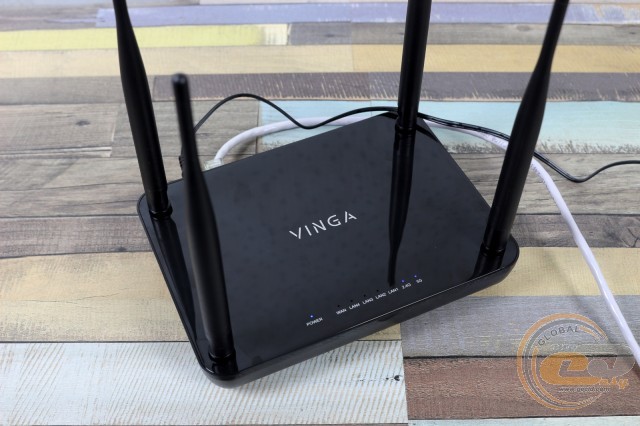
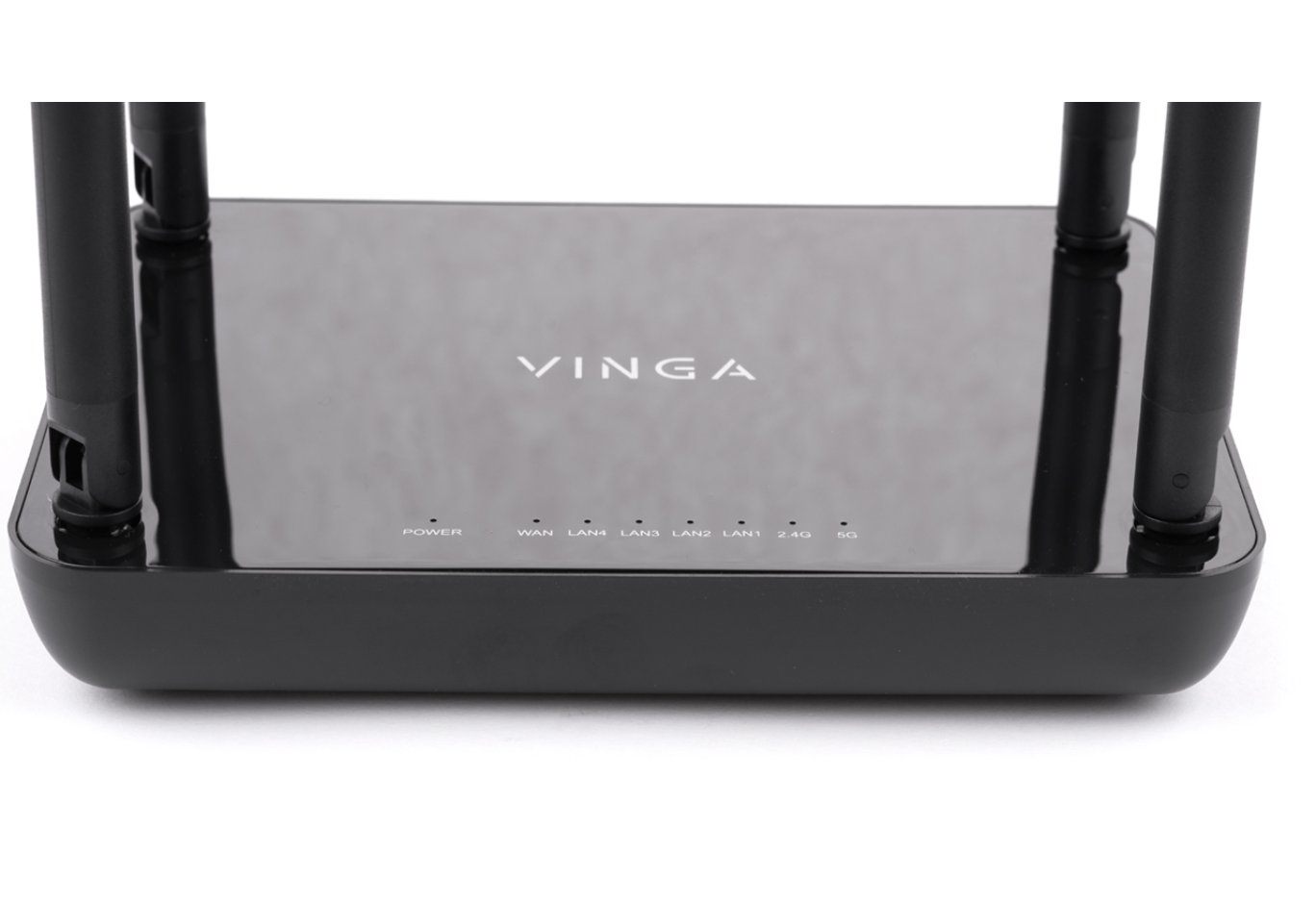
All LED indicators are located closer to the front edge of the top side. They are labeled, allowing you to easily determine the status of the necessary node or operating mode, and thanks to the faint blue glow, they do not distract too much during operation.

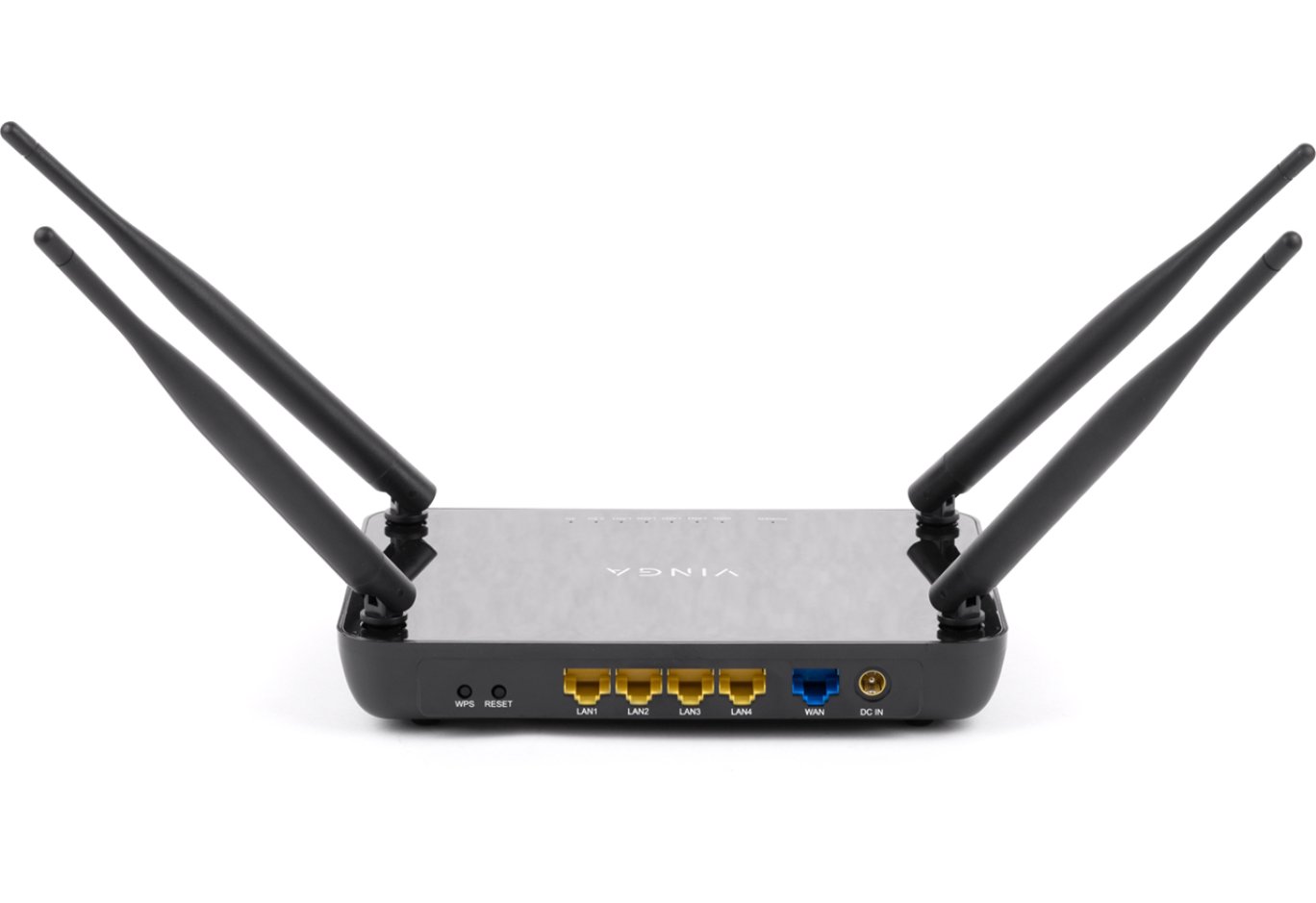
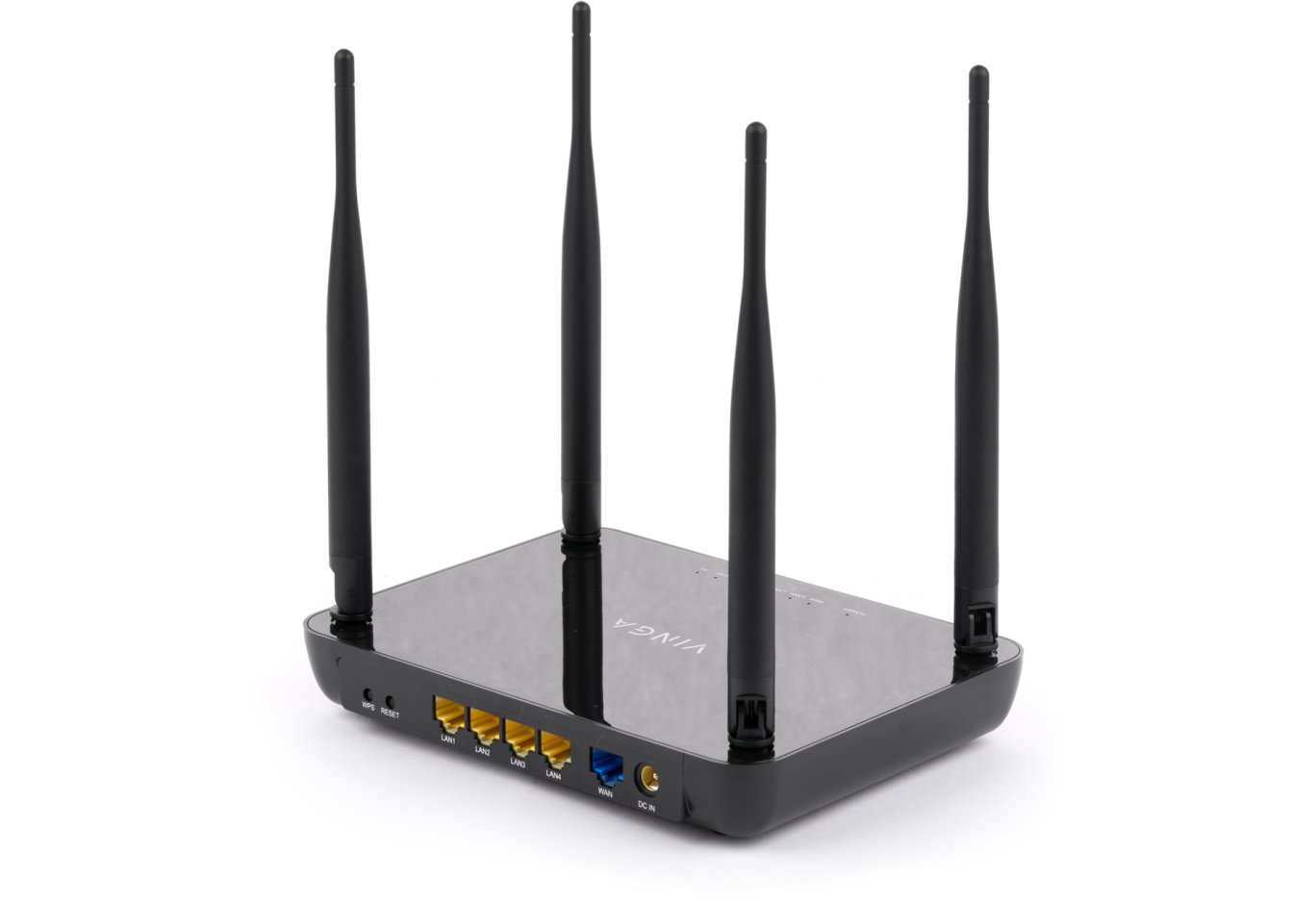
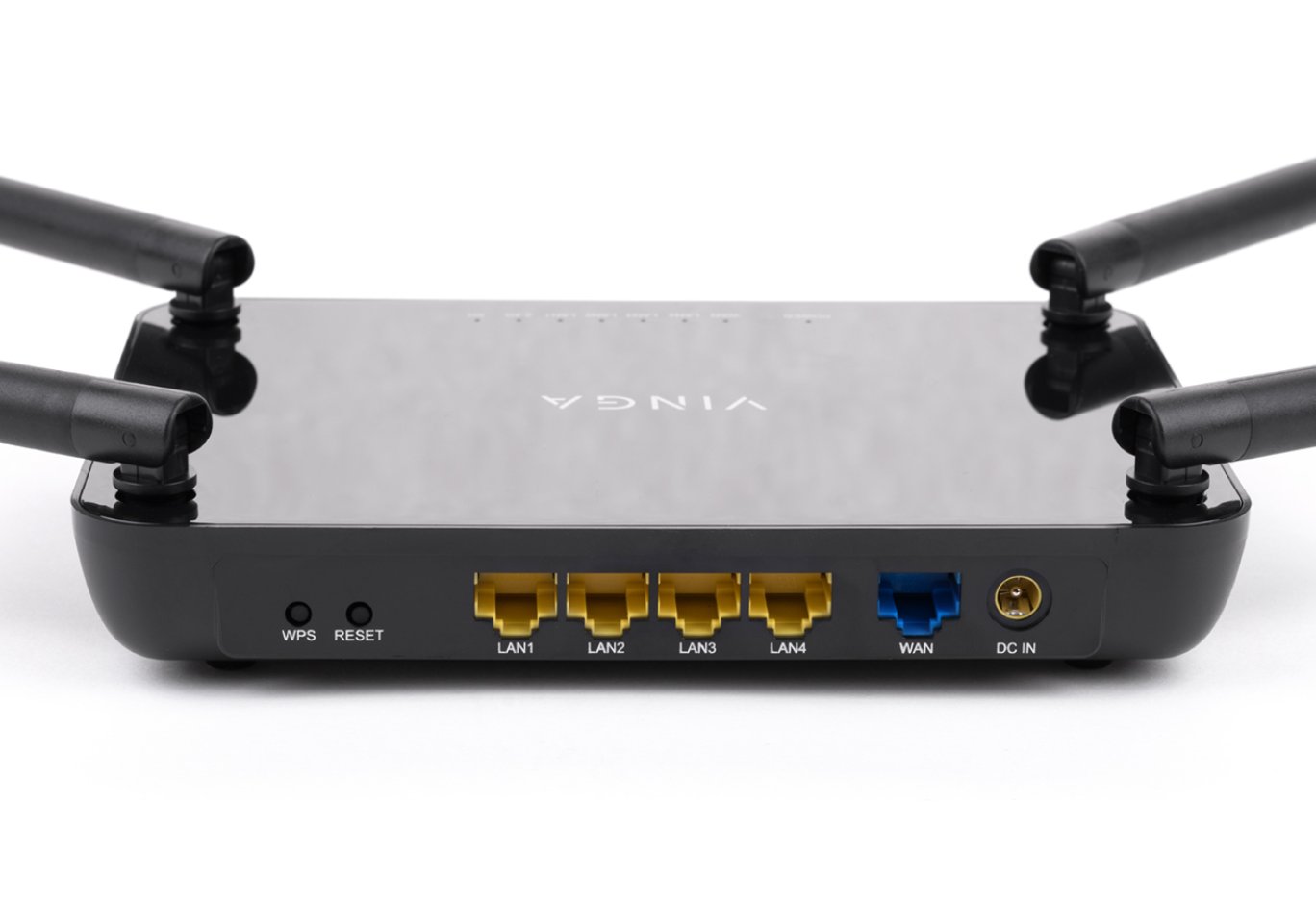
All controls and interfaces are located on the back side. Thanks to color highlighting and labels, even a beginner can handle their connection and use. If questions arise, you can refer to the user manual. By the way, all RJ45 ports belong to the Fast Ethernet class, meaning their maximum throughput is limited to 100 Mbps. Another consequence of the product's maximum cost reduction is the complete absence of USB ports.

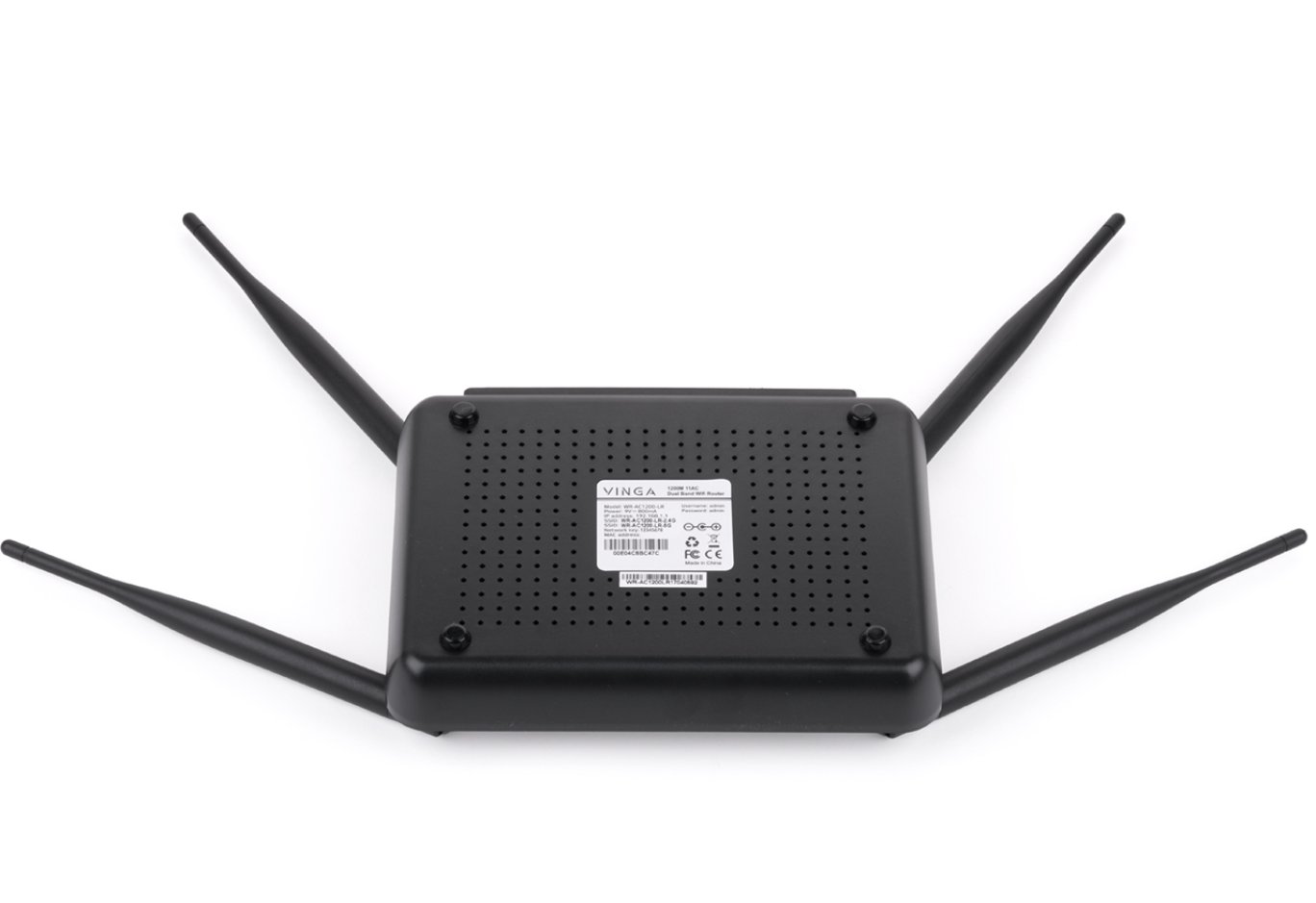
The ventilation holes are only on the bottom cover, in the corners of which you can notice four legs that raise the router and facilitate air circulation. They are quite small, so it's not advisable to place the Vinga WR-AC1200 on a carpet or other fluffy surfaces. Wall mounting is not provided. In the center, there is a useful sticker with technical information. In particular, it indicates the initial login and password for configuring the router, which is strongly recommended to be changed later.

The component base inside the device was not a revelation to us, as the manufacturer listed all the key chips on the packaging. Among them:
- MediaTek MT7612E – responsible for supporting the 802.11ac standard and the 5 GHz frequency band. Provides a maximum throughput of 867 Mbps.
- MediaTek MT7628N – implements the operation of the 802.11n standard at a frequency of 2.4 GHz with a maximum throughput of 300 Mbps. Serves five RJ45 ports.
- Winbond W9751G6KB-25 – DDR2 memory chip with a capacity of 64 MB.
- Windbond 25Q64JVSIQ – flash memory with a capacity of 4 MB for storing settings.

The quality of soldering and component assembly does not cause any complaints.
Router Configuration


For the initial configuration of the router, you need to go to the web browser at the address 192.168.1.1, enter the login and password ("admin" / "admin") and perform a few simple steps using the "Setup Wizard". In this case, you need to select the device's operating mode, set the password for the created network, etc.
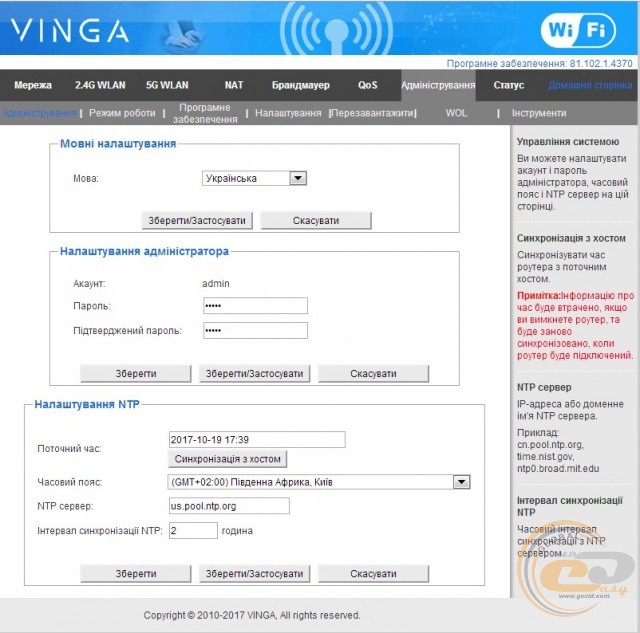
After the initial configuration, we enter the menu with more extensive settings. On the "Administration" tab, you can select the interface language (Ukrainian or English), change the login password for the settings, change the device's operating mode, or reflash it.

If you have several similar routers for which you need to set the same settings, you can save the correct configuration to a file and then open this file on other routers, which will save time.

Overall, the interface pleases with its simplicity, high functionality, and informativeness. On the right, there is always a hint about the purpose of a particular menu item. The settings themselves allow you to configure operation on two frequency bands, clone the MAC address if necessary, block access for other clients by MAC address, enable or disable the "WPS" mode, set forwarding rules, configure the firewall, choose the IP protocol version (IPv4 or IPv6), and much more.
Testing
The Vinga WR-AC1200 wireless router was tested in various data transmission modes – in a wired network, in wireless networks, as well as from wired to wireless and back. During testing, the following conditions were met:
- the router was tested under ideal wireless network operating conditions, at a distance of no more than two meters between points;
- the Wi-Fi channel throughput was measured at frequencies of 2.4 and 5 GHz;
- the wired segment throughput was measured under conditions of unshielded twisted pair with a throughput of up to 1000 Mbps.
Comparative testing of operation in 802.11n mode at 2.4 GHz frequency using WPA2 encryption

Data stream in both directions

Data stream from client to router

Data stream from router to client
When testing the Vinga WR-AC1200, we used more up-to-date algorithms, so we cannot directly compare with the indicators of routers that have previously been in our laboratory. The average throughput when transmitting data in both streams was 146 Mbps. The maximum indicator exceeded 94 Mbps.
Comparative testing of operation in 802.11ac mode at 5 GHz frequency using WPA2 encryption

Data stream in both directions

Data stream from client to router

Data stream from router to client
When switching to the 802.11ac standard and the 5 GHz frequency, the average throughput when transmitting information in both directions increased to almost 166 Mbps. The maximum indicator remained at 94 Mbps. Thus, when using both frequency bands, the average speed can reach 312 Mbps.
Comparative testing of packet transmission speed through the LAN interface to another LAN client

Data stream in both directions
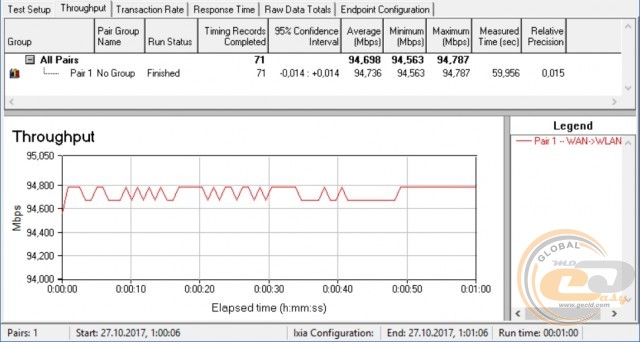
Data stream from router to client
The use of RJ45 Fast Ethernet ports does not allow the maximum bandwidth to exceed 100 Mbps. The average data transfer rate in both directions is expectedly below 200 Mbps – at the level of 179 Mbps.
Comparative testing of packet speed through the router's NAT service
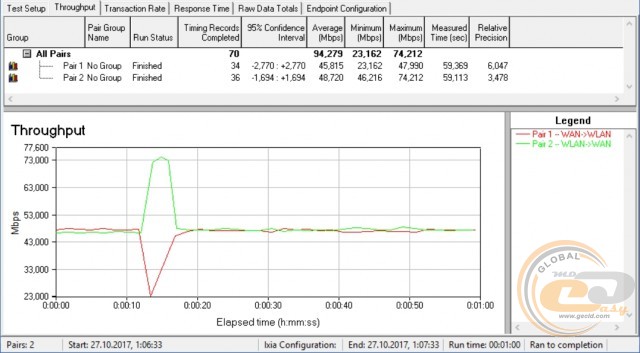
Data flow in both directions

Data flow from the router to the client
The NAT service is implemented at the hardware level. The average data transfer rate in both directions was 94 Mbps, and the maximum was 74 Mbps. When transferring information in one direction, the average bandwidth reaches 94 Mbps, and the maximum is 95 Mbps.
Conclusions

Let's summarize the review of the Vinga WR-AC1200 router. What are its strengths? Firstly, the price. The device can be purchased for 899 UAH ($33), while similar models with similar functionality from well-known competitors cost from 1000 UAH on the domestic market. At the same time, you get an AC1200 class model with support for two frequency bands (2.4 and 5 GHz) and current communication standards (802.11a/b/g/n/ac). During testing, the average bandwidth in both directions on both frequencies was 312 Mbps. This is sufficient for covering a home network or a small office. Also, the list of advantages of the router includes the presence of four powerful external antennas, functional software for fine-tuning, and several operating modes.
Where did the manufacturer save? Firstly, RJ45 ports with a bandwidth of up to 100 Mbps (Fast Ethernet) are used, although more expensive devices offer Gigabit Ethernet (up to 1000 Mbps). Secondly, there are no USB ports. It is also worth mentioning the presence of non-removable antennas and a simple case design with glossy elements that require additional care.
In the end, there are no overly critical remarks about the Vinga WR-AC1200, as similar cost-cutting measures have been seen in well-known manufacturers. Therefore, if you are choosing the most affordable model for use but do not want to compromise on speed performance, this router should definitely be considered.
Advantages:
- adequate performance level in its segment;
- support for the 802.11ac standard and two frequency bands;
- high-quality case assembly;
- convenient and functional web interface for configuration;
- presence of four powerful external antennas for stable coverage;
- support for the IPv6 protocol;
- hardware implementation of the NAT service;
- support for multiple operating modes;
- built-in firewall.
Features:
- glossy case requires additional care;
- use of Fast Ethernet ports;
- absence of USB ports.
Author: Serhiy Budilovskyi
Translation: Yuriy Koval